AI sandbox
The AI sandbox combines two Windmill features - sandboxing and volumes - to run AI coding agents with process isolation and persistent file storage. Any agent that operates on a local filesystem can be wrapped in a Windmill script this way: Claude Code, Codex, OpenCode, or a custom agent.
Core pattern
An AI sandbox script has two annotations at the top:
// sandbox
// volume: agent-state .agent
sandbox- runs the job inside nsjail, isolating the agent's filesystem and processes from the worker.volume: <name> <path>- mounts a persistent volume so the agent can read and write files that survive across job runs (session state, memory, generated artifacts, etc.). Files are synced to object storage.
This pattern works for any language supported by Windmill. The agent itself can be invoked via an SDK, a CLI subprocess, or an HTTP API - the sandbox and volume annotations are independent of how the agent runs. You can use AI sandboxes in standalone scripts or as steps within flows.
Use cases
- Persistent agent memory - the agent stores session IDs, conversation history, or memory files in the volume and resumes where it left off on the next run.
- Artifact generation - the agent produces files (reports, code, data) that are synced to object storage and available for downstream jobs.
- Safe execution - nsjail restricts the agent's access to the filesystem, network, and system resources, preventing accidental or malicious damage to the worker.
Creating an AI sandbox script
From the flow editor
- Add a new step and select AI Sandbox.
- Choose a template (e.g. Claude Code).
- The template is inserted as an inline Bun script step with the
sandboxandvolumeannotations pre-configured.
From the script editor
- Create a new script.
- In the language selector, click the Claude Sandbox template button - or start from scratch and add the
// sandboxand// volume:annotations manually.
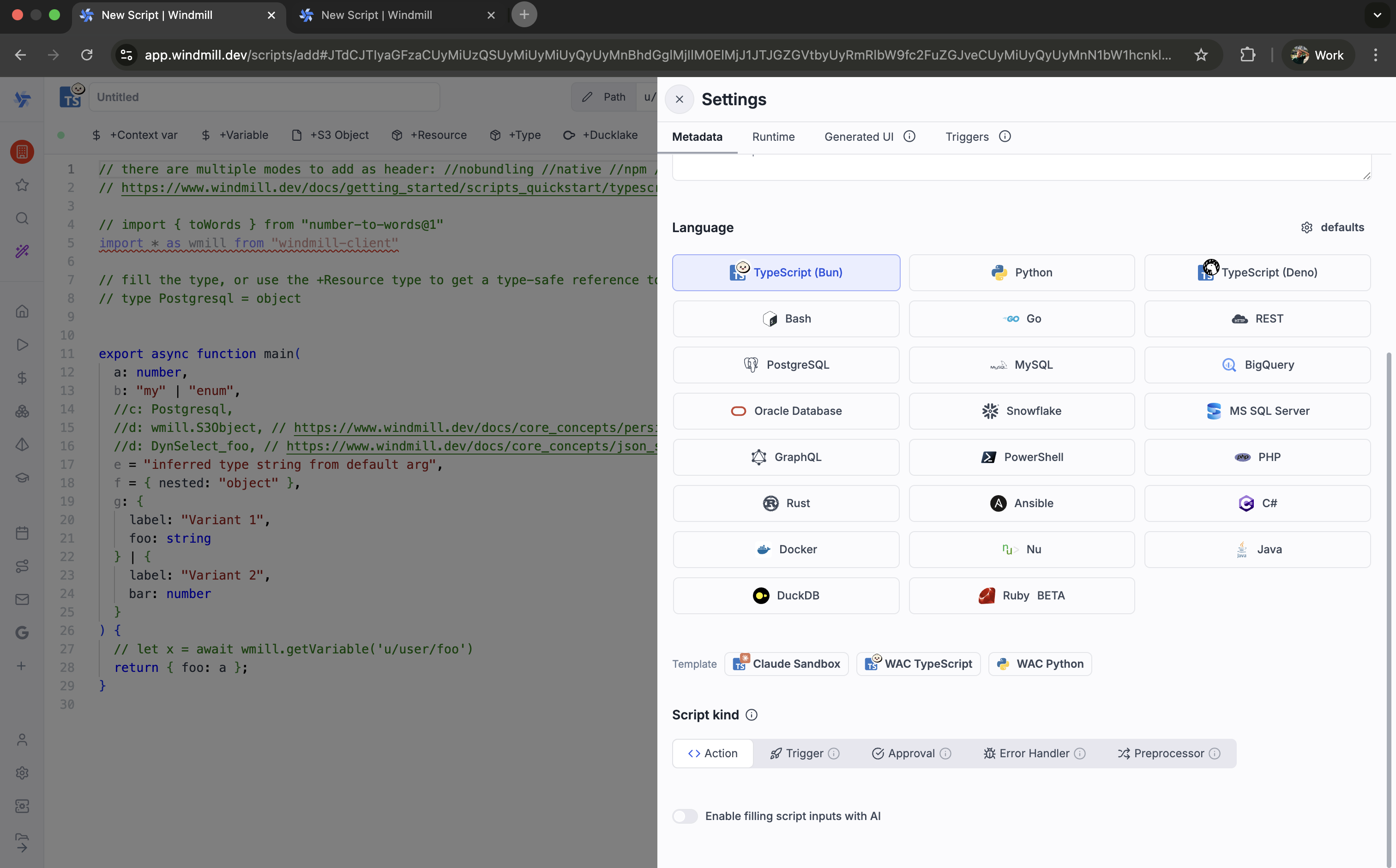
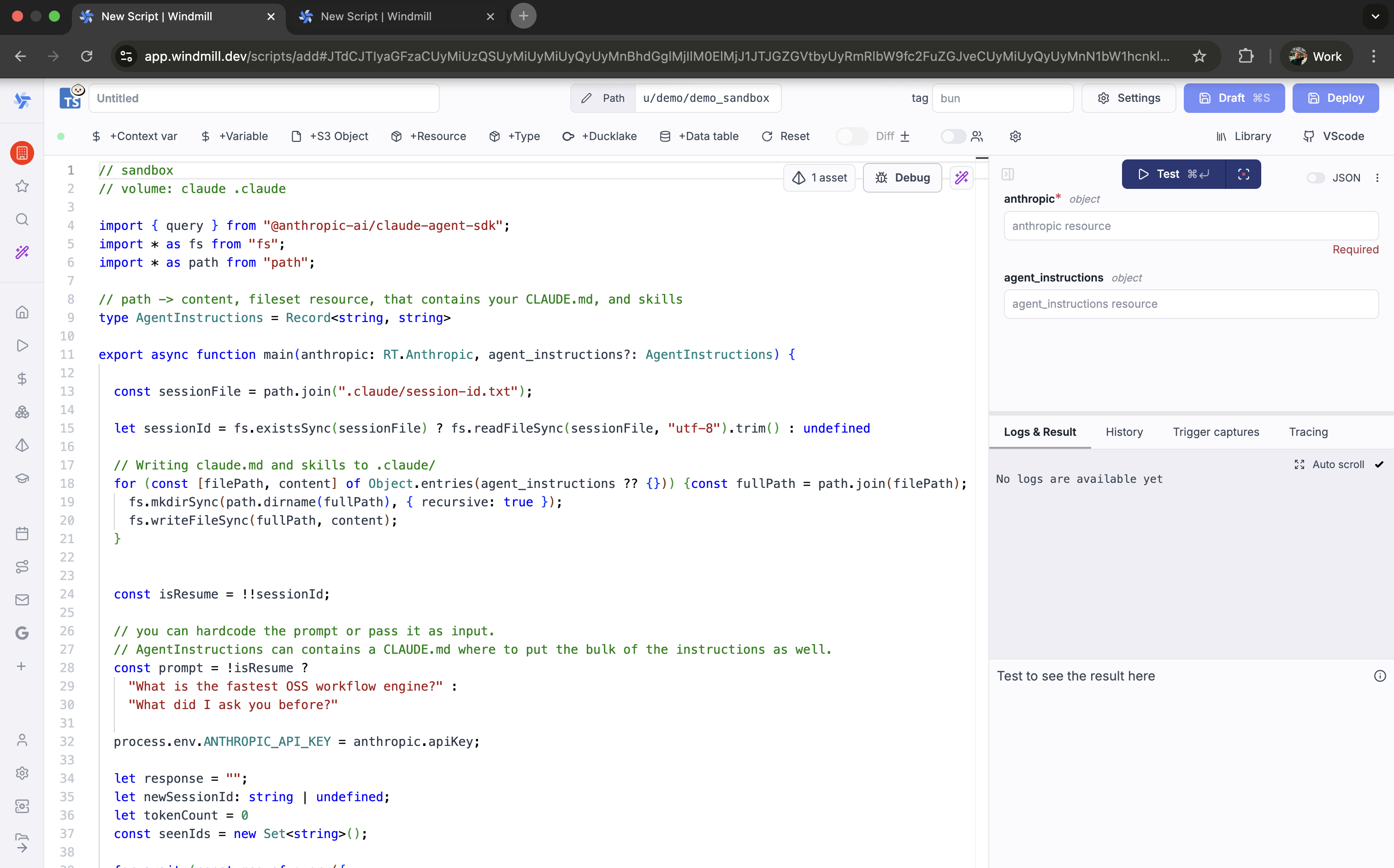
Claude Code template
Windmill includes a built-in template for Claude Code using the @anthropic-ai/claude-agent-sdk. It demonstrates the sandbox + volume pattern with session persistence.
// sandbox
// volume: claude .claude

import { query } from "@anthropic-ai/claude-agent-sdk";
import * as fs from "fs";
import * as path from "path";

// path -> content, fileset resource, that contains your CLAUDE.md, and skills
type AgentInstructions = Record<string, string>

export async function main(anthropic: RT.Anthropic, agent_instructions?: AgentInstructions) {

  const sessionFile = path.join(".claude/session-id.txt");

  let sessionId = fs.existsSync(sessionFile)
    ? fs.readFileSync(sessionFile, "utf-8").trim()
    : undefined;

  // Writing claude.md and skills to .claude/
  for (const [filePath, content] of Object.entries(agent_instructions ?? {})) {
    const fullPath = path.join(filePath);
    fs.mkdirSync(path.dirname(fullPath), { recursive: true });
    fs.writeFileSync(fullPath, content);
  }

  const isResume = !!sessionId;

  // You can hardcode the prompt or pass it as input.
  // AgentInstructions can contain a CLAUDE.md where to put the bulk of the instructions as well.
  const prompt = !isResume
    ? "What is the fastest OSS workflow engine?"
    : "What did I ask you before?";

  // Script inputs are not environment variables - set them explicitly
  // so the agent's shell processes (git, curl, etc.) can access them.
  process.env.ANTHROPIC_API_KEY = anthropic.apiKey;

  let response = "";
  let newSessionId: string | undefined;
  let tokenCount = 0;
  const seenIds = new Set<string>();

  for await (const msg of query({
    prompt,
    options: {
      model: "opus",
      pathToClaudeCodeExecutable: "/usr/bin/claude",
      permissionMode: "bypassPermissions",
      allowDangerouslySkipPermissions: true,
      ...(isResume ? { resume: sessionId } : {}),
    },
  })) {
    if (msg.type === "system" && msg.subtype === "init") {
      newSessionId = msg.session_id;
    }
    if (msg.type === "assistant") {
      const msgId = msg.message.id;
      if (!seenIds.has(msgId)) {
        seenIds.add(msgId);
        tokenCount += msg.message.usage.input_tokens + msg.message.usage.output_tokens;
        console.log(`${tokenCount} tokens`);
      }

      response += msg.message.content
        .filter((b: any) => b.type === "text")
        .map((b: any) => b.text)
        .join("");
    }
  }

  if (newSessionId) {
    fs.writeFileSync(sessionFile, newSessionId);
  }

  // Delete all files created from agent_instructions
  for (const filePath of Object.keys(agent_instructions ?? {})) {
    fs.unlinkSync(path.join(filePath));
  }

  return {
    is_resume: isResume,
    previous_session_id: sessionId ?? null,
    new_session_id: newSessionId,
    prompt,
    response,
  };
}
| Input | Type | Description |
|---|---|---|
anthropic | RT.Anthropic resource | Anthropic API credentials |
agent_instructions | Record<string, string> (optional) | Map of file paths to content, written to disk before the agent runs (e.g. CLAUDE.md, skill files). Cleaned up after execution. |
The template stores the session ID in .claude/session-id.txt inside the volume. On subsequent runs, the agent resumes the previous session.
Other agents
The same pattern applies to any AI agent. Here are skeleton examples:
OpenAI Codex CLI
// sandbox
// volume: codex-state .codex

import { execSync } from "child_process";
import * as fs from "fs";

export async function main(prompt: string) {
  // Codex reads/writes state in .codex/
  const result = execSync(`codex --quiet "${prompt}"`, {
    encoding: "utf-8",
    env: { ...process.env, OPENAI_API_KEY: "..." },
  });
  return result;
}
Custom agent with Python
# sandbox
# volume: agent-memory memory

import json, os

def main(prompt: str):
    memory_file = "memory/history.json"
    history = json.load(open(memory_file)) if os.path.exists(memory_file) else []
    history.append({"role": "user", "content": prompt})

    # Call your agent here, append response to history
    # ...

    with open(memory_file, "w") as f:
        json.dump(history, f)
    return history[-1]
Prerequisites
- Workspace object storage configured (required for volumes).
- Workers with nsjail available (included in all standard Windmill Docker images).
- For the Claude Code template: an Anthropic resource.
Passing credentials to the sandbox
Script inputs are TypeScript (or Python) variables - they are not automatically available as environment variables inside the sandbox. This matters because AI agents like Claude Code spawn shell processes (e.g. git push, curl) that look for credentials in environment variables, not in your script variables.
The built-in template already does this for the Anthropic API key:
process.env.ANTHROPIC_API_KEY = anthropic.apiKey;
You must do the same for any credential the agent needs at runtime. For example, if you pass a GitHub token as a script input so the agent can push code or open PRs:
export async function main(anthropic: RT.Anthropic, github_token: string) {
  process.env.ANTHROPIC_API_KEY = anthropic.apiKey;
  process.env.GITHUB_TOKEN = github_token;
  process.env.GH_TOKEN = github_token; // used by the gh CLI

  // ... launch agent
}
In Python, the equivalent is:
import os

def main(api_key: str, github_token: str):
    os.environ["ANTHROPIC_API_KEY"] = api_key
    os.environ["GITHUB_TOKEN"] = github_token
    # ... launch agent
A good rule of thumb: if the agent might run a shell command that needs a credential, set it on process.env (or os.environ) before starting the agent. Script inputs alone are not enough.
Customization tips
- Volume name scoping: use
$workspaceor$args[...]in the volume name to isolate state per workspace, user, or input parameter (e.g.// volume: $workspace-agent .agent). - Multiple volumes: mount separate volumes for different concerns (e.g. one for session state, one for output artifacts).
- Prompt as input: replace hardcoded prompts with script input parameters to make the script reusable.