Full-code apps
Full-code apps let you build custom frontends with React or Svelte that connect to Windmill backend runnables and data tables. Unlike the low-code app editor, you write your own components and have full control over the UI.
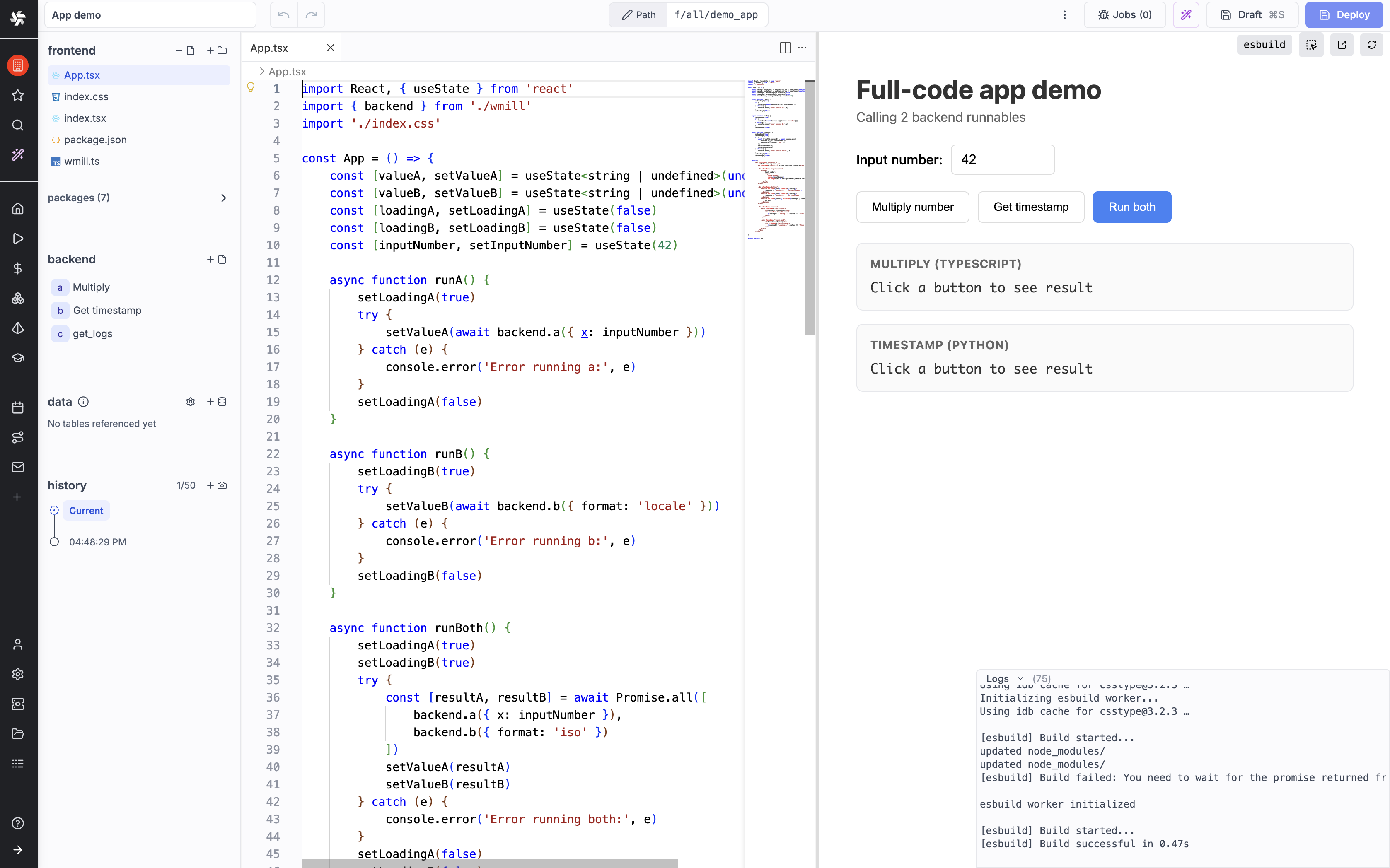
How it works
A full-code app is a directory with the .raw_app suffix (e.g. my_app.raw_app/) or the __raw_app suffix (e.g. my_app__raw_app/) depending on your sync settings. It contains:
- Frontend code: React or Svelte components bundled and served by Windmill
- Backend runnables: scripts in any supported language that run on Windmill workers
- Configuration: a
raw_app.yamlfile defining metadata, policy and data access
When deployed, Windmill bundles your frontend code and serves it as a single-page application. Your frontend calls backend runnables through an auto-generated wmill.ts module, which communicates with Windmill's execution engine via WebSocket.
Full-code vs low-code apps
Low code apps are built with the low-code app editor (legacy), while full-code apps are built with React or Svelte. The low-code app editor remains available and supported, but new development is focused on full-code apps, which we recommend for new apps.
| Full-code apps | Low-code apps | |
|---|---|---|
| UI | Custom React/Svelte components | Drag-and-drop component library |
| Frontend logic | Full framework features (hooks, stores, routing) | Connecting components + inline scripts |
| Backend | Scripts in backend/ folder, any language | Runnables panel, inline or workspace scripts |
| Styling | Your own CSS, Tailwind, etc. | Component-level + global CSS editor |
| Local dev | wmill app dev with hot reload | Web-based editor only |
| Best for | Custom UIs, complex interactions, existing codebases | Quick dashboards, forms, CRUD interfaces |
Getting started
For a step-by-step tutorial building a complete app, see the full-code apps quickstart.
Platform
The full-code apps are built on the Windmill platform, which provides a backend for running your code and a frontend for building your UI.
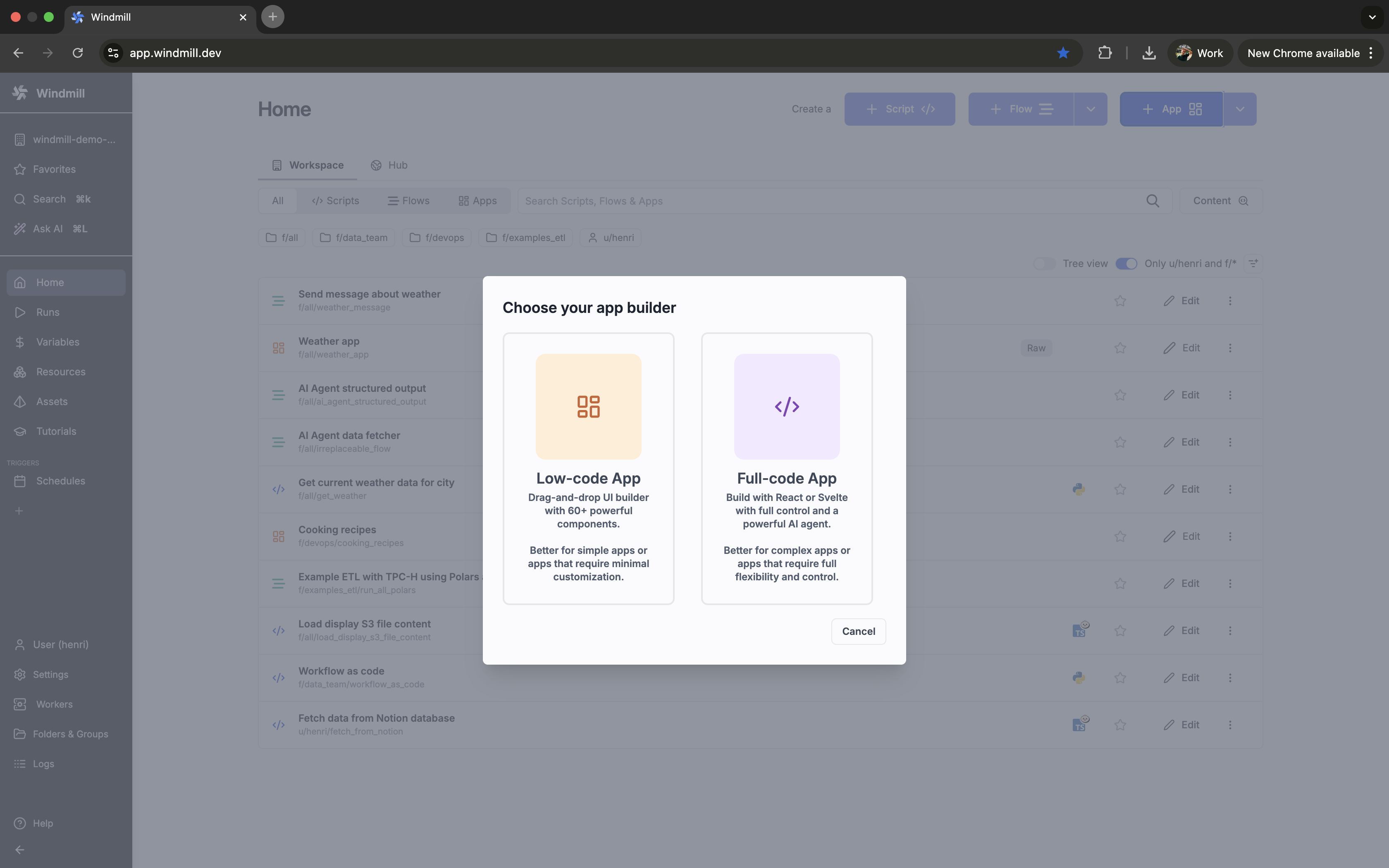
Just click New on the home page and select App (full-code).
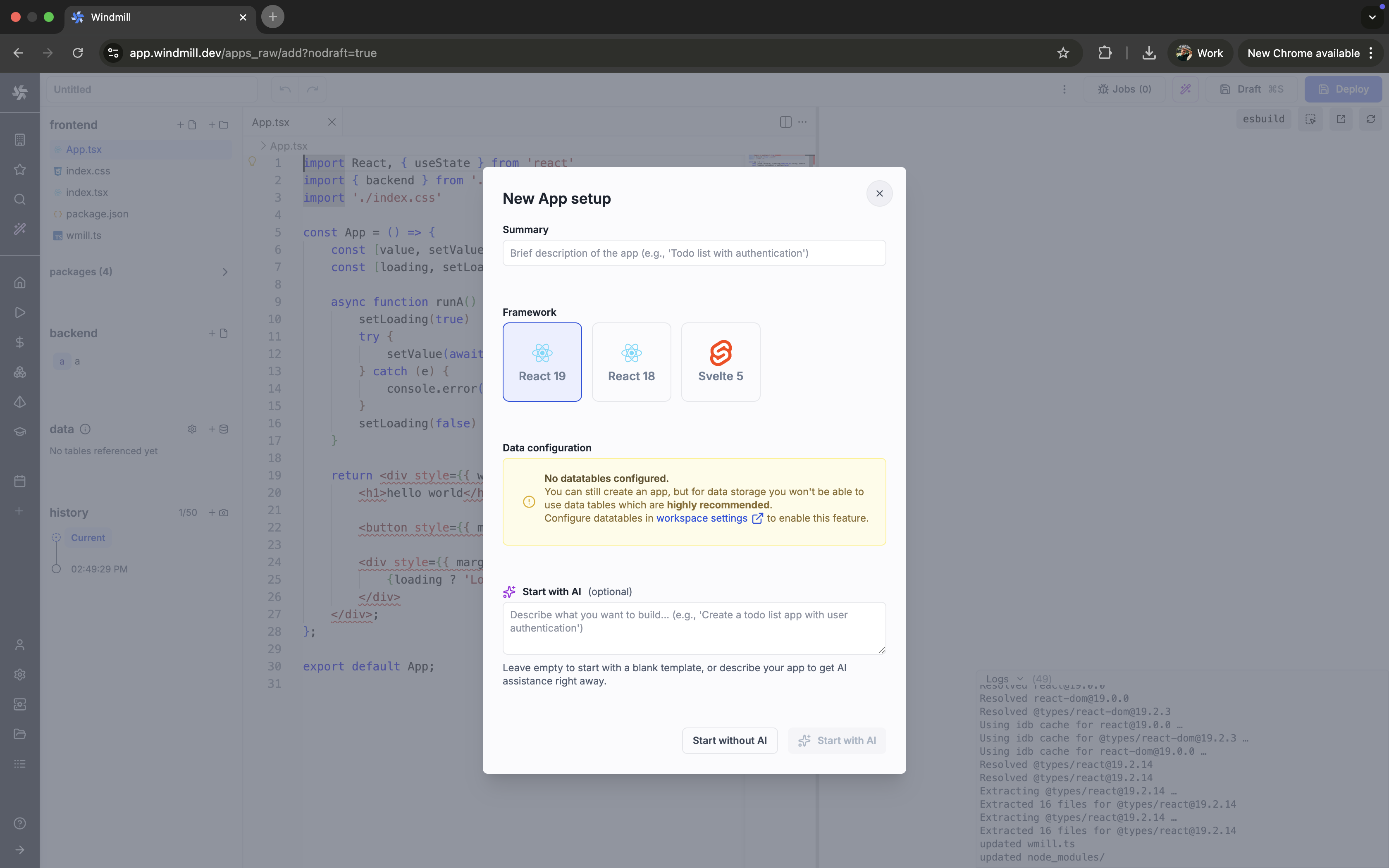
Then pick a framework (React or Svelte), a Data configuration (optional) and a name for your app. Optionally, you can start it with AI.
Locally
The fastest way to create a full-code app is with Windmill CLI:
wmill app new
This scaffolds a project with your chosen framework (React or Svelte), a sample backend runnable, and the necessary configuration. Then start the development server:
cd f/folder/my_app.raw_app   # or my_app__raw_app
wmill app dev .
See the CLI workflow page for the full setup guide.
Folder suffix
By default the CLI uses dotted suffixes (.raw_app). If your filesystem or tooling hides dotfiles, set nonDottedPaths: true in your wmill.yaml to use dunder suffixes (__raw_app) instead. All examples in this documentation use the default .raw_app suffix — substitute __raw_app if you enabled non-dotted paths.
Supported languages
Backend runnables support all Windmill script languages.