Frontend
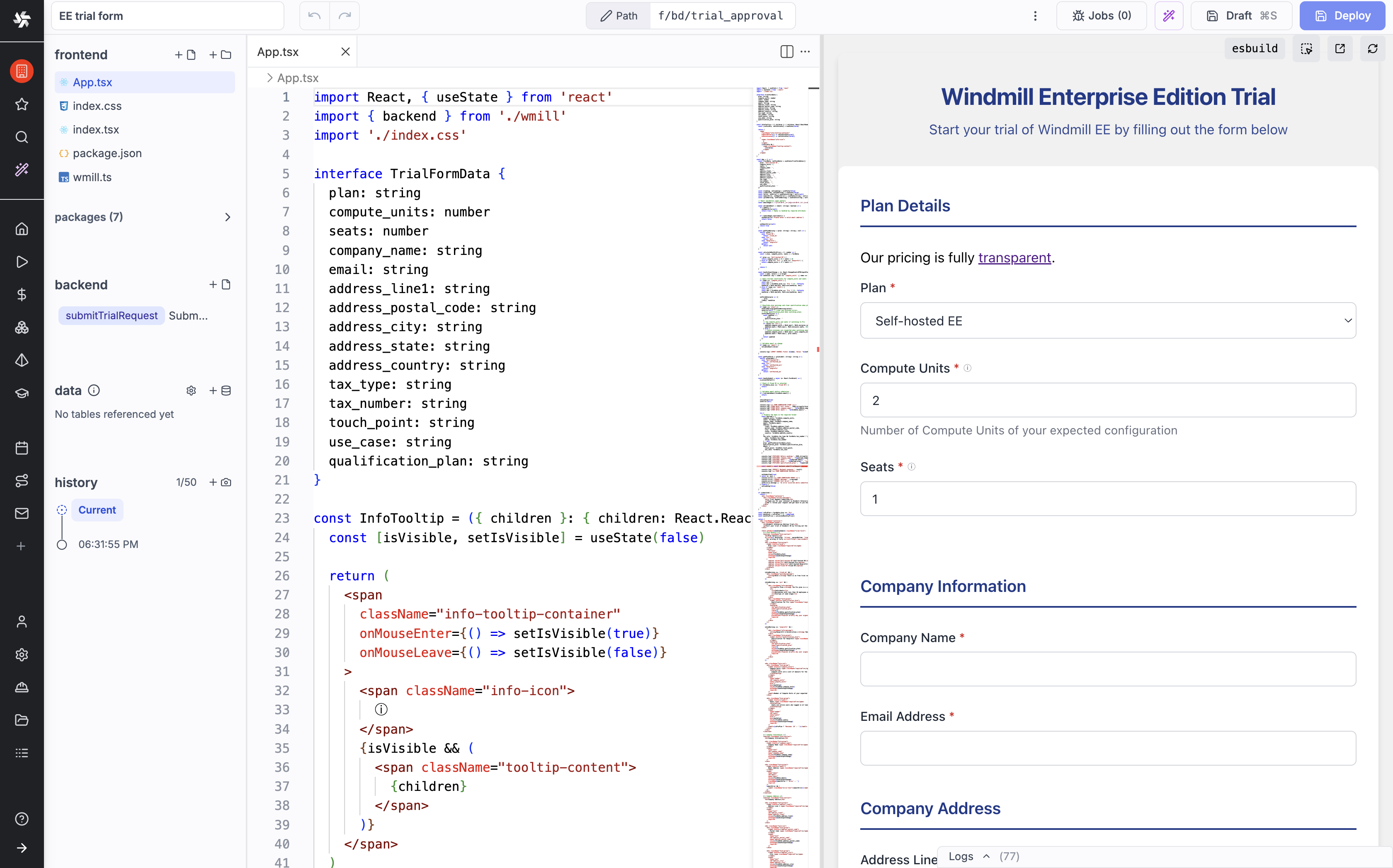
Full-code apps support React and Svelte frontends. Your code is bundled by Windmill and served as a single-page application. The auto-generated wmill.ts module provides typed functions to call backend runnables.
Framework support
When scaffolding a new app with wmill app new, you can choose from:
- React 19 / React 18
- Svelte 5
The CLI generates a starter project with the selected framework, including package.json, entry point and a sample component.
The wmill.ts module
The wmill.ts module is auto-generated during development (wmill app dev) and provides the bridge between your frontend and Windmill's backend. It exports:
backend - synchronous calls
Calls a backend runnable and waits for the result:
import { backend } from "./wmill.ts";

// Calls the "get_users" runnable, waits for completion
const users = await backend.get_users({ limit: 10 });
backendAsync - asynchronous calls
Starts a backend runnable and returns a job ID immediately:
import { backendAsync } from "./wmill.ts";

// Starts the runnable, returns job ID without waiting
const jobId = await backendAsync.long_running_task({ input: data });
waitJob - wait for a job
Waits for a previously started async job to complete:
import { backendAsync, waitJob } from "./wmill.ts";

const jobId = await backendAsync.process_data({ file: "input.csv" });
// Do other work...
const result = await waitJob(jobId);
getJob - check job status
Gets the current status and result of a job:
import { getJob } from "./wmill.ts";

const job = await getJob(jobId);
streamJob - stream job output
Streams results from a running job, calling a callback for each update:
import { backendAsync, streamJob } from "./wmill.ts";

const jobId = await backendAsync.generate_report({ query: "SELECT *" });

const finalResult = await streamJob(jobId, (update) => {
  if (update.new_result_stream) {
    console.log("Streaming chunk:", update.new_result_stream);
  }
});
These functions all call the app's own backend runnables, which execute under the app's execution policy. Calling the wider Windmill API from frontend code is a separate feature: it requires sandbox isolation, and runs as the viewer rather than the publisher.
Framework examples
- React
- Svelte
// App.tsx
import { useState, useEffect } from "react";
import { backend } from "./wmill.ts";

export default function App() {
  const [users, setUsers] = useState([]);
  const [loading, setLoading] = useState(true);

  useEffect(() => {
    backend.get_users({ limit: 50 })
      .then(setUsers)
      .finally(() => setLoading(false));
  }, []);

  if (loading) return <div>Loading...</div>;

  return (
    <table>
      <thead>
        <tr><th>Name</th><th>Email</th></tr>
      </thead>
      <tbody>
        {users.map((u) => (
          <tr key={u.id}><td>{u.name}</td><td>{u.email}</td></tr>
        ))}
      </tbody>
    </table>
  );
}
<!-- App.svelte -->
<script lang="ts">
  import { backend } from "./wmill.ts";

  let users = $state([]);
  let loading = $state(true);

  $effect(() => {
    backend.get_users({ limit: 50 })
      .then((data) => { users = data; })
      .finally(() => { loading = false; });
  });
</script>

{#if loading}
  <div>Loading...</div>
{:else}
  <table>
    <thead>
      <tr><th>Name</th><th>Email</th></tr>
    </thead>
    <tbody>
      {#each users as user}
        <tr><td>{user.name}</td><td>{user.email}</td></tr>
      {/each}
    </tbody>
  </table>
{/if}
Type safety
During development, wmill app dev generates a wmill.d.ts file with typed signatures for each backend runnable. For example, given backend/get_users.ts:
export async function main(limit: number = 10): Promise<User[]> { ... }
The generated types will be:
export const backend: {
  get_users: (v: { limit?: number }) => Promise<User[]>;
};
This gives you autocomplete and type checking when calling runnables from your frontend.