
Build AI agents with full control and observability
For platform teams who deploy AI agents to production and need full control over permissions, monitoring and audit logs.
Trusted by 9,643 instances, including 300+ EE customers at scale:


















What is an AI agent on Windmill?
Windmill provides enterprise-grade infrastructure to build AI agents around any LLM, including self-hosted models. Give your agents access to tools written in any language, connect them to your databases and APIs, compose them into flows alongside scripts and workflows, or run them in isolated sandboxes.
Your agents run on the same platform as the rest of your infrastructure, with full observability on every tool call and LLM request, RBAC, audit trails and versioning built in.
Read the docs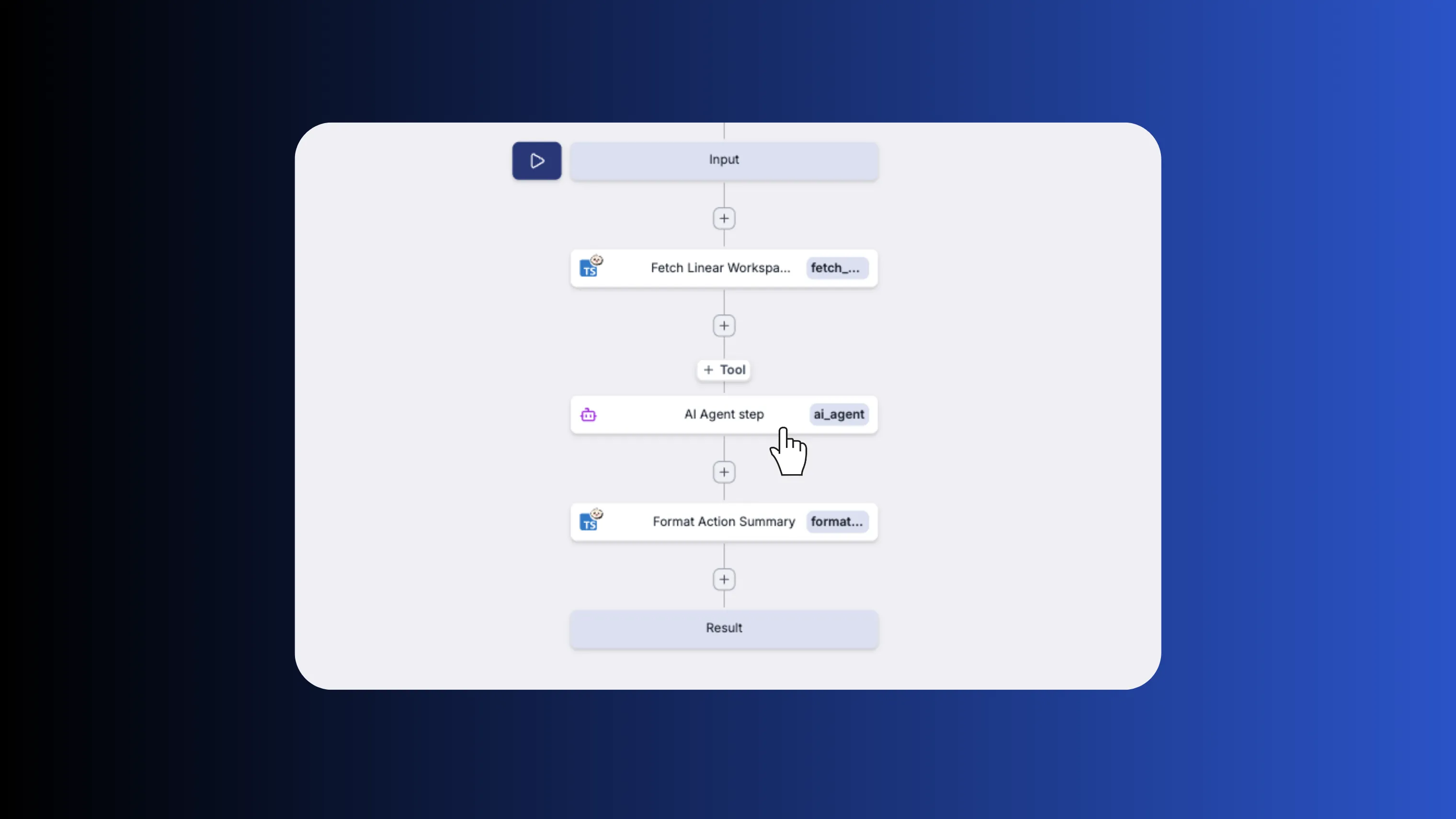
Two ways to build AI agents
Use the visual AI builder with tools for structured agent loops, or run full Claude Code, Codex or Opencode inside sandboxes for maximum autonomy. Both can be used as steps of a flow.
Visual AI builder with tools
The AI agent step is a ready-to-use node in the flow editor. Build agent workflows visually by combining agent steps with branching, approval steps, error handling and any other flow step.
Learn more about the flow editorClaude Code, Codex and Opencode in sandboxes
Run coding agents inside isolated sandboxes with full capabilities: bash, code writing, file editing. Cached snapshots for instant startup, persistent volumes across runs and scoped permissions.
Learn more about AI sandboxesGive your agents the right tools
Agents can use Windmill scripts and MCP servers as tools. Scripts are written in TypeScript, Python, Go, SQL or any supported language. Windmill reads each script's typed function signature and generates the tool schema the LLM sees. MCP servers expose their own tool definitions and are auto-discovered when connected.
Learn more about agent toolsSee it in action
An AI chatbot built entirely on Windmill. The frontend is a full-code React app, the backend is a flow that calls an AI model with Windmill scripts as tools.
- Full-code frontend
- Windmill backend runnables
- AI Agent flow
- Marketing activation
- Sales metrics
The orchestration flow that receives a user message, calls an AI model with registered tools, and streams the response back. Click on Play to see what happens when we ask the agent "Who is in charge of HR?".
A script the AI agent can call to look up marketing activations. This demo uses mocked data.
A script the AI agent can call to query sales metrics. This demo uses mocked data.
Built for production
Every agent runs within a platform built for enterprise requirements: immutable versioning, role-based access control, full audit trails, SSO and self-hosting. No extra setup needed.
Versioning and deploy
Every agent version is immutable and addressable by hash. Deploy from the UI, the CLI or Git sync. Roll back to any previous version instantly. Sync your workspace with GitHub or GitLab and use your existing code review workflows.
Learn more about deployment and versioningFull observability
Every run is logged with inputs, outputs, duration and status. Real-time execution logs stream as your agent runs. Set up error handlers to send alerts on failure. Audit trails track who ran what and when.
Learn more about observabilityRBAC and permissions
Control who can view, edit and run each agent with role-based access control. Organize agents into folders with group-level permissions. Authenticate users with SSO. Every action is recorded in the audit log.
Learn more about RBAC
More you can build on Windmill
AI agents are just one use case. The same platform powers internal tools, data pipelines, workflows and triggers.
Write scripts in TypeScript, Python, Go, Bash, SQL and trigger them from webhooks, schedules, queues or the auto-generated UI.
Build production-grade internal apps with backend scripts, data tables and React, Vue or Svelte frontends.
Orchestrate ETL jobs with parallel branches, DuckDB queries and connections to any database or S3 bucket.
Chain scripts into flows with approval steps, parallel branches, loops and conditional logic.
Run cron jobs with a visual builder, execution history, error handlers, recovery handlers and alerting.
Run PowerShell, MSSQL with Kerberos and C# natively on domain-joined Windows servers, no Docker required.
Frequently asked questions
Build your internal platform on Windmill
Scripts, flows, apps, and infrastructure in one place.