9 posts tagged with "Git sync"
View All TagsFork and dev workspace pull requests get a 'Windmill CI tests' check on GitHub, which can be made a required status check to block merge until tests pass.
New features
- A 'Windmill CI tests' check run on pull requests targeting the tracked branch, concluding failure as soon as a test fails and success once all tests pass.
- Requires a repository connected through the GitHub App with automatic sync from Git enabled, and no GitHub Action on the repository side.
- Every push to the pull request runs the whole CI suite again on the new head, in the fork or dev workspace the branch syncs to.
- Pull requests from other branches get the check posted as skipped, so requiring it does not block them.
- A check that has not concluded after 30 minutes fails, so a hung test cannot leave a required check pending.
Git sync's managed features were available only to GitHub App repositories. Hand a GitLab project access token to Windmill with the GitLab button in the git_repository resource form, and the repository gets instant pull over a webhook, merge requests opened on deploy, a diff preview note on the merge request, and automatic token renewal. The token is stored encrypted on the workspace, keyed by the repository it was issued for, and workspace forks read that one copy. A token written into a repository URL is unchanged, still a plain git remote that syncs on deploy and by polling only.
New features
- GitLab button in the git_repository resource form: paste the instance URL and a project access token, pick the project, and Windmill stores the token and fills in a credential-free remote URL
- GitLab repositories sync instantly through a project hook Windmill registers itself, with polling as a fallback
- Merge requests opened on deploy for promotion wm_deploy/** and fork wm-fork/** branches, from the same per-repository toggles as GitHub
- A merge request targeting the tracked branch gets a Windmill note with the sync status and what merging would deploy, updated in place on each push
- Windmill renews the token within three weeks of expiry, and a Replace token control on the resource swaps it by hand
- One credential per repository: workspace forks read the parent copy, so a renewal reaches the whole fork chain at once
Dev workspaces can now promote to prod through Git. A "Promote to prod via Git" toggle on the repository inherited from prod switches deploys from the dev branch to per-item wm_deploy branches off the prod workspace's tracked branch, ready to merge as pull requests. Enterprise Edition only, and the dev workspace must use the same repository and branch as its prod workspace.
New features
- "Promote to prod via Git" toggle on the repository a dev workspace inherited from its prod workspace, no separate promotion repository to configure
- Deploys create per-item wm_deploy/<dev-workspace-id>/<type>/<path> branches off the branch tracked by the prod workspace
- Optional "One pull request per folder" sub-toggle to open one branch per folder instead of per item
- On GitHub App-backed repositories, Windmill can open the pull request automatically after each deploy, without any CI action or webhook
- The dev workspace's own branch keeps tracking the workspace while promotion is on
The Git to Windmill direction of git sync now works fully in-app, making the documented GitHub Actions optional. Enable 'Automatically deploy changes from Git' on a repository and new commits to the tracked branch deploy into the workspace, instantly via webhooks for GitHub App repositories (with polling as a safety net) or by polling about every minute for token repositories. Windmill can also open pull requests for promotion and fork deploy branches, post a 'Windmill diff' check and managed comment on pull requests showing what merging would deploy, post a deploy status check on synced commits, and automatically deploy fork branch changes into fork workspaces from a single parent-level toggle.
New features
- Per-repository 'Automatically deploy changes from Git' toggle: new commits on the tracked branch deploy into the workspace, no CI/CD pipeline needed.
- GitHub App repositories (managed and GHES self-managed) sync instantly via an HMAC-verified webhook that Windmill registers itself; polling stays on as a safety net.
- Token-based repositories sync via polling, checking the tracked branch about every minute; commits made by Windmill ([WM] prefix) are skipped to prevent loops.
- In-app pull request creation: 'Open a pull request for each deploy branch' on promotion repositories and 'Open a pull request when an item is deployed in a fork' on the parent sync repository, replacing the gh pr create GitHub Actions.
- Pull requests targeting the tracked branch get a 'Windmill diff' check run and a managed comment showing what merging would deploy, updated on each push.
- Tracked-branch deploys post a 'Windmill' check run on the commit that flips from 'Deploying…' to 'Deployed N changes'.
- Parent-level 'Automatically sync forks with git branches' toggle deploys changes on each fork's wm-fork/** branch into the matching fork workspace, replacing the push-on-merge-to-forks action.
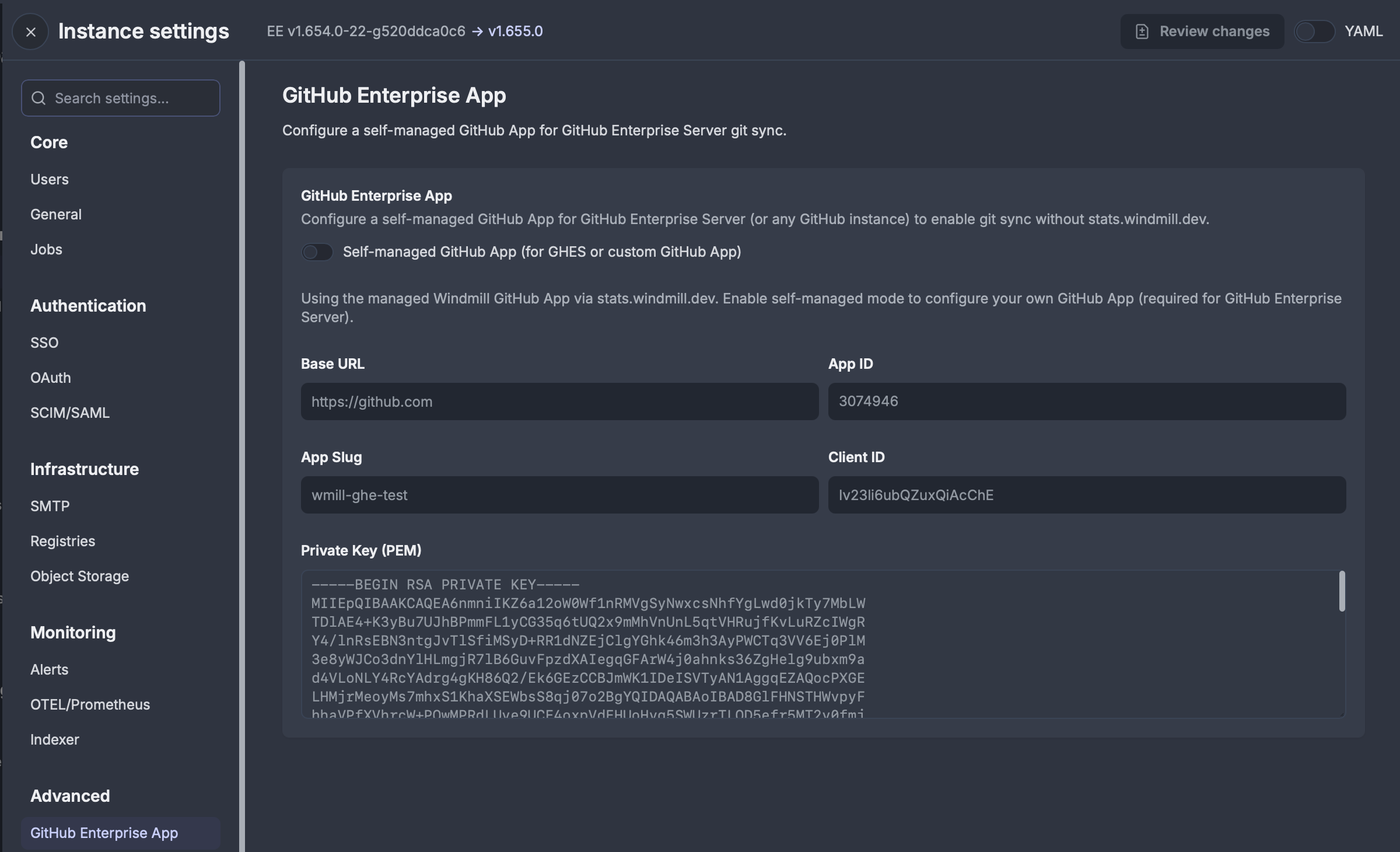
Self-managed GitHub App support for GitHub.com and GitHub Enterprise Server instances, enabling Git sync without relying on the Windmill-managed GitHub App.
New features
- Register your own GitHub App on GitHub.com or GitHub Enterprise Server for Git sync authentication.
- Self-managed JWT token generation and exchange directly with your GitHub instance.
- Host-based installation filtering prevents token leakage across GitHub instances.
Create independent copies of workspaces for parallel development workflows, similar to git branches. Merge changes back to parent workspaces directly from the UI or through git sync.
New features
- Fork workspaces to create independent development environments
- Automatically create git branches when used with git sync
- Merge forked workspaces back to parent workspaces from the UI
- Multiple developers can work on separate forks simultaneously
- Deploy individual items to parent workspace using deployment UI
Maintain workspace specific configurations for variables, resources, and triggers per Git branch with automatic file path transformation and clean workspace management.
New features
- Branch-specific variables, resources, and triggers with automatic file naming based on Git branch.
- Pattern-based configuration using glob syntax to specify which items should be branch-specific.
- Automatic path transformation between local branch-specific files and clean workspace paths.
- Support for commonSpecificItems (all branches) and per-branch specificItems configurations.
- Branch name sanitization for filesystem safety with collision warnings.
- Support for all trigger types (kafka, http, websocket, nats, postgres, mqtt, sqs, gcp) and resource files.
- Seamless integration with Git sync for environment-specific deployments.
Improved git sync initialization, workspace settings UI controls, and branch-specific configuration management with improved CLI commands.
New features
- Enhanced repository setup workflow with better error handling and user guidance.
- Trigger pull/push operations directly from the workspace settings UI for seamless git sync management.
- Trigger settings pull from UI to sync git-sync configuration from repository to workspace.
- Improved CLI commands for managing wmill.yaml and backend synchronization.
- Branch-specific overrides in wmill.yaml with promotion overrides for advanced deployment workflows.
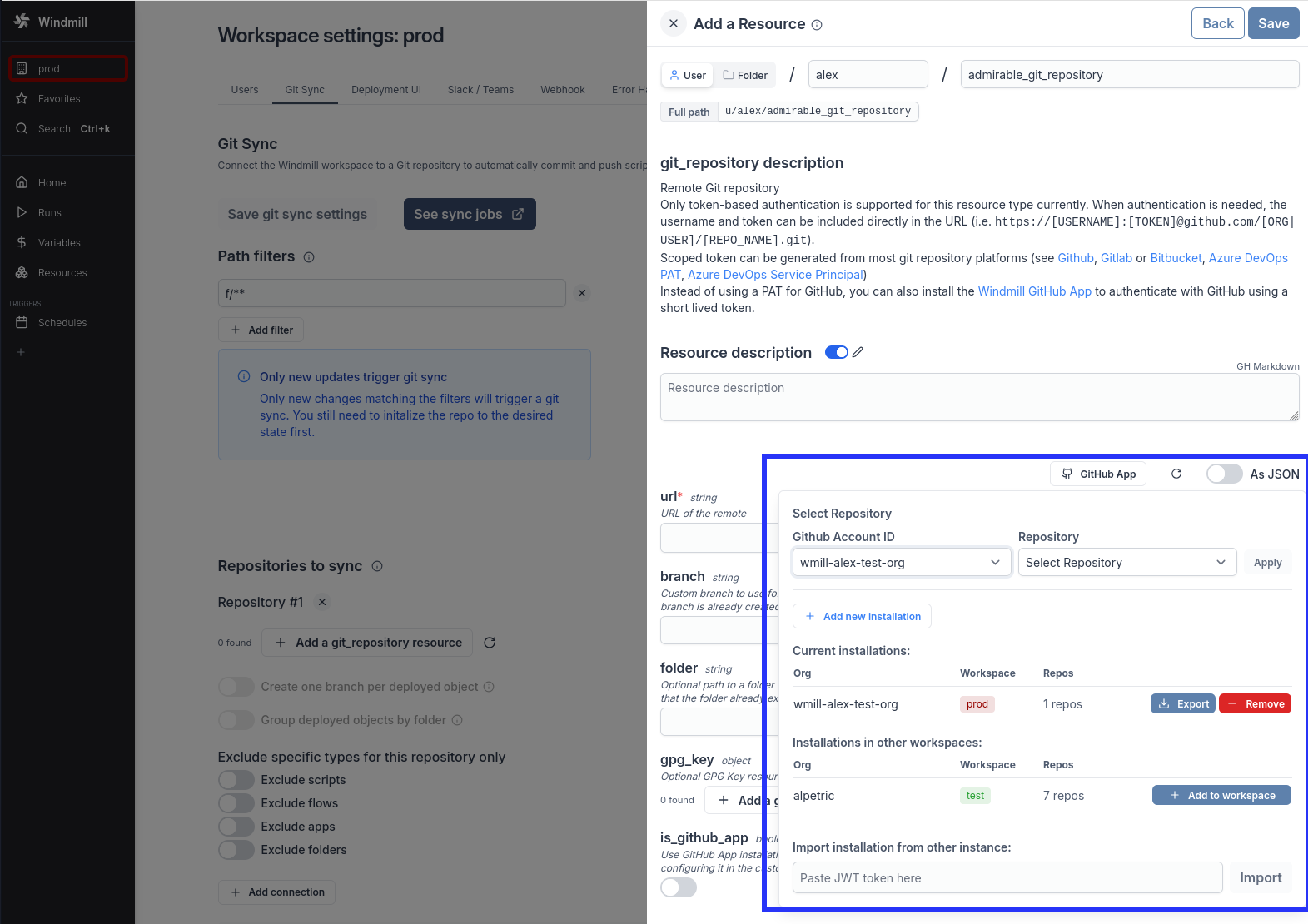
Install the Windmill GitHub App instead of using a long lived personal access token (PAT) to authenticate with GitHub for Git sync
New features
- No need for long lived GitHub personal access token
- Improved controls over repo access from Windmill using the App installation scope