20 posts tagged with "Triggers"
View All TagsHTTP routes can restrict which origins may call them from a browser. The allowlist is enforced on both the OPTIONS preflight and the response, so a disallowed origin cannot read the result, and a request that needs a preflight never reaches the runnable. Superadmins can set an instance-wide default on Enterprise Edition.
New features
- New "Allowed origins" option in the route editor, under Advanced > Request Options.
- A matching Origin is echoed in Access-Control-Allow-Origin; other origins get no header, on the preflight and the response.
- New "HTTP route default allowed origins" instance setting governs routes that set no list of their own (Enterprise Edition); a route opts out with *.
- When an allowlist applies, it overrides Access-Control-Allow-Origin set through wm_headers. Static websites are exempt.
GCP Pub/Sub triggers can now authenticate as the Windmill server itself through application default credentials (GKE Workload Identity, the metadata server or GOOGLE_APPLICATION_CREDENTIALS) instead of a gcloud resource, by leaving the resource unset. Selecting this mode requires workspace admin. Workload Identity Federation credential files are supported.
New features
- Authenticate GCP Pub/Sub triggers with the instance's application default credentials by leaving the gcloud resource unset (workspace admins only).
- New GOOGLE_APPLICATION_CREDENTIALS server environment variable, with Workload Identity Federation files supported through the file, url and aws credential sources (executable is not supported).
- Optional project ID to list and create topics and subscriptions in another project than the credentials' own.
Kafka and WebSocket trigger filters were a flat list combined by a single AND or OR, so a condition like "A and B and (C or D)" could not be expressed. An entry can now be a group with its own logic (any_of, all_of, none_of) nesting further entries, groups included, up to three levels in the editor. A criterion also addresses its field by a dotted path into nested objects (account.id) instead of only by a top-level key, switched with a Key/Path toggle. Existing flat key/value filters keep matching exactly what they matched before and nothing needs migrating; filters that don't parse are now rejected when the trigger is saved rather than silently widening it.
New features
- A filter entry can be a group - any_of (OR), all_of (AND) or none_of (NONE) - nesting further criteria and groups, so "A and B and (C or D)" is expressible
- Each criterion addresses its field by Key (a top-level field) or Path (a dotted path into nested objects, e.g. account.id), switched with a toggle; paths do not traverse arrays
- The editor nests groups up to three levels; a group left empty is dropped rather than evaluated, so its siblings stay in force
- NONE matches when none of its criteria match, and a field the message does not carry satisfies it
- Back-compatible: stored flat key/value filters parse and mean exactly what they did, and top-level entries are still combined by the trigger filter logic
Trigger scripts and flows in response to Azure Event Grid events from custom topics, system topics, domains, and Event Grid Namespaces.
New features
- Subscribe to Azure Event Grid basic topics, system topics and domains (basic_push mode).
- Subscribe to Event Grid Namespace topics with CloudEvents 1.0 push or pull delivery.
- Service Principal authentication; the Azure subscription is derived from the topic or namespace ARM path.
- Auto-discovery of topics and namespaces the service principal can access via ARM.
- Server-managed shared-secret authentication on inbound push webhooks.
- Lock-token ack/reject on namespace pull, enabling dead-lettering and batched consumption.
- Optional event-type filters per trigger.
- Capture mode uses an isolated -wm-capture subscription so tests never clobber the deployed trigger.
Data tables backed by a Postgres resource can now be used anywhere a Postgres resource is expected, including as the source of a Postgres trigger, without exposing the underlying database connection string to users.
New features
- Data tables backed by the instance database or a workspace Postgres resource are now valid Postgres resources.
- Use a data table directly as the source of a Postgres trigger to react to INSERT/UPDATE/DELETE events.
- Works in the Database Studio app component without manual resource wiring.
Self-hosted superadmins can now require every HTTP route to be served under /api/r/{workspace_id}/{route} via a single instance setting, matching the Cloud behavior and locking the per-route toggle.
New features
- New "HTTP route workspace prefix" instance setting under superadmin settings.
- When enabled, all routes are served under /api/r/{workspace_id}/{route}, regardless of the per-route toggle.
- The per-route toggle is disabled and labeled as enforced by the instance setting.
WebSocket and Kafka triggers now support combining multiple filters with OR in addition to the default AND, so a single trigger can match any one of several payload patterns instead of all of them.
New features
- Filter logic selector on WebSocket and Kafka triggers: AND (default) or OR.
- OR matches messages that satisfy any of the configured filters.
- Existing triggers default to AND; the selector only appears when at least one filter is configured.
WebSocket triggers can now send periodic application-level keep-alive messages with optional state extraction from incoming messages, supporting protocols like Discord Gateway, STOMP, and custom APIs without spawning jobs.
New features
- Configurable heartbeat message and interval, sent at the Rust level with zero job overhead.
- Optional state field that captures a value from each inbound message and substitutes it into the heartbeat via {{state}}.
- Works for protocols that require app-level keep-alives (Discord Gateway, STOMP, custom APIs).
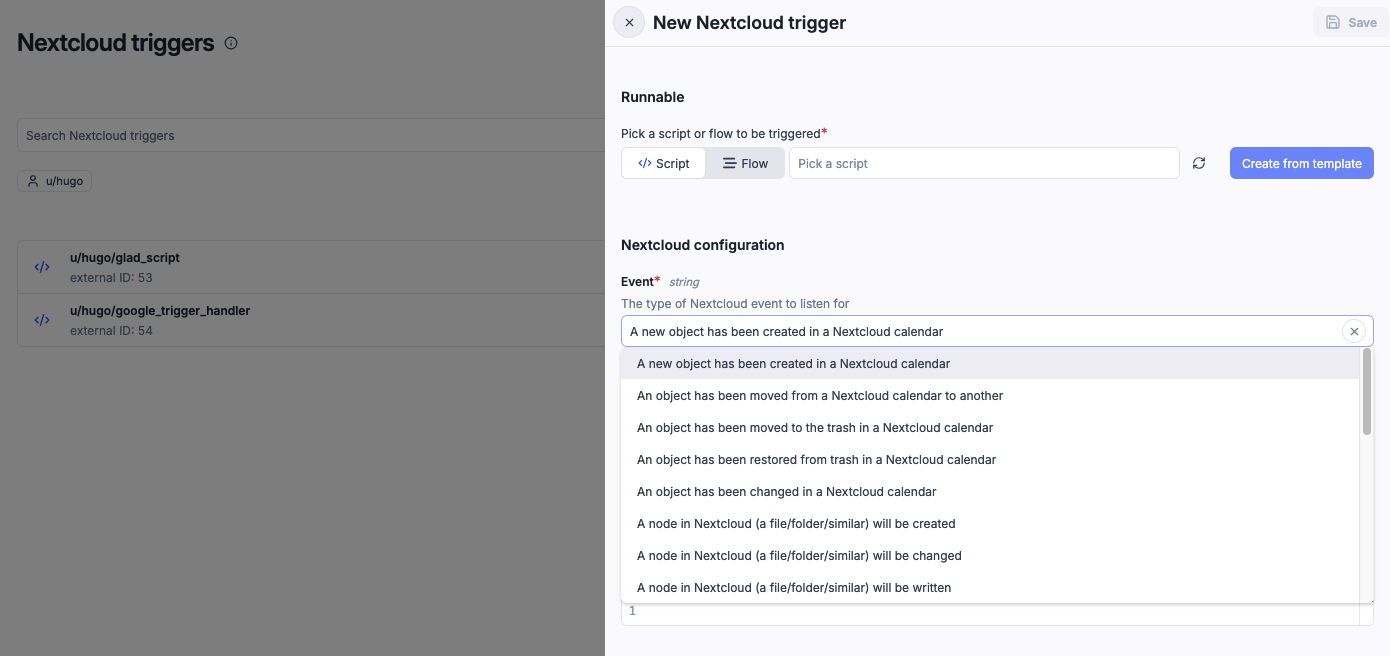
Trigger scripts and flows in real-time from Nextcloud, Google Drive, and Google Calendar events via push notifications.
New features
- Nextcloud: file, folder, and calendar event triggers.
- Google Drive: watch a specific file or all changes.
- Google Calendar: track event creation, updates, and deletions.
Kafka triggers now support message filtering. Define key/value pairs to filter messages before they trigger a job. Uses JSON superset matching — the message value at a given key must contain all fields from the filter value.
New features
- Key/value-based message filtering for Kafka triggers
- JSON superset matching for flexible filtering
- Shared filter component with WebSocket triggers
- Filter preview in the trigger editor UI
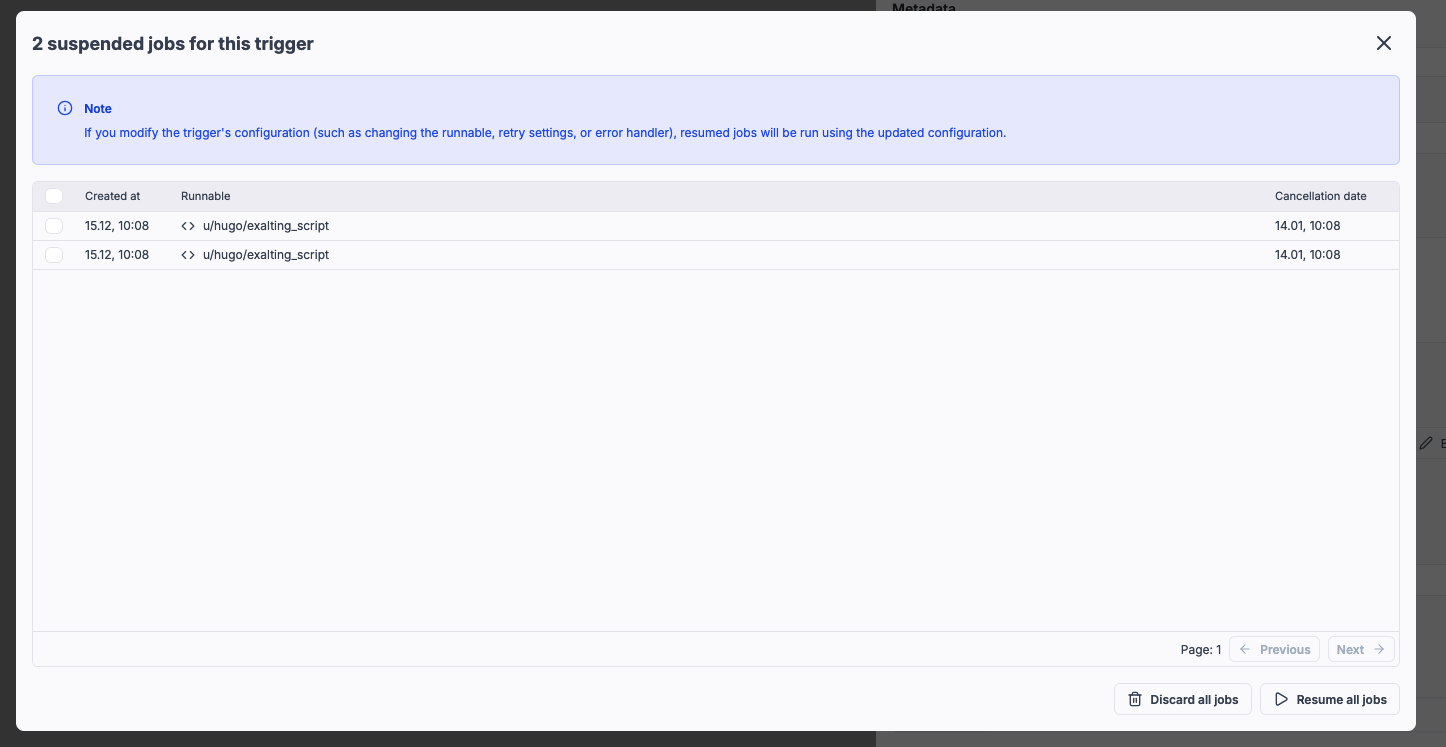
Triggers can now be placed in suspended mode to queue incoming jobs without running them automatically, enabling safer debugging and testing of trigger configurations.
New features
- Suspend triggers to queue jobs without automatic execution
- Review and manage all suspended jobs in a dedicated table
- Resume or discard jobs individually or in bulk
- Updated trigger configurations automatically apply to resumed jobs
- Useful for debugging runnable or trigger logic without disabling the trigger
Trigger Windmill scripts by @mentioning the Windmill bot in Slack channels, threads, or direct messages - in addition to slash commands.
New features
- Trigger scripts with @Windmill in public channels, private channels, DMs, and threads
- Use the same handler script for both /windmill commands and @mentions
- Bot mention is automatically stripped from text before passing to handler
- Distinguish between triggers using the command parameter (@mention vs /windmill)
- Respond to slash commands using response_url webhook
- Respond to @mentions using Slack Web API with bot token
Trigger error handlers now allow you to configure specific error handling for individual triggers. Override workspace error handlers with custom, Slack, Teams, or email notifications per trigger.
New features
- Configure error handlers for individual triggers (HTTP routes, Webhooks, Kafka, SQS, WebSocket, Postgres, NATS, MQTT, GCP, Email)
- Override workspace error handlers with trigger-specific handling
- Support for custom scripts, Slack, Teams, and email error handlers
- Additional arguments and retry configuration for custom error handlers
- Works with scripts only (not flows)
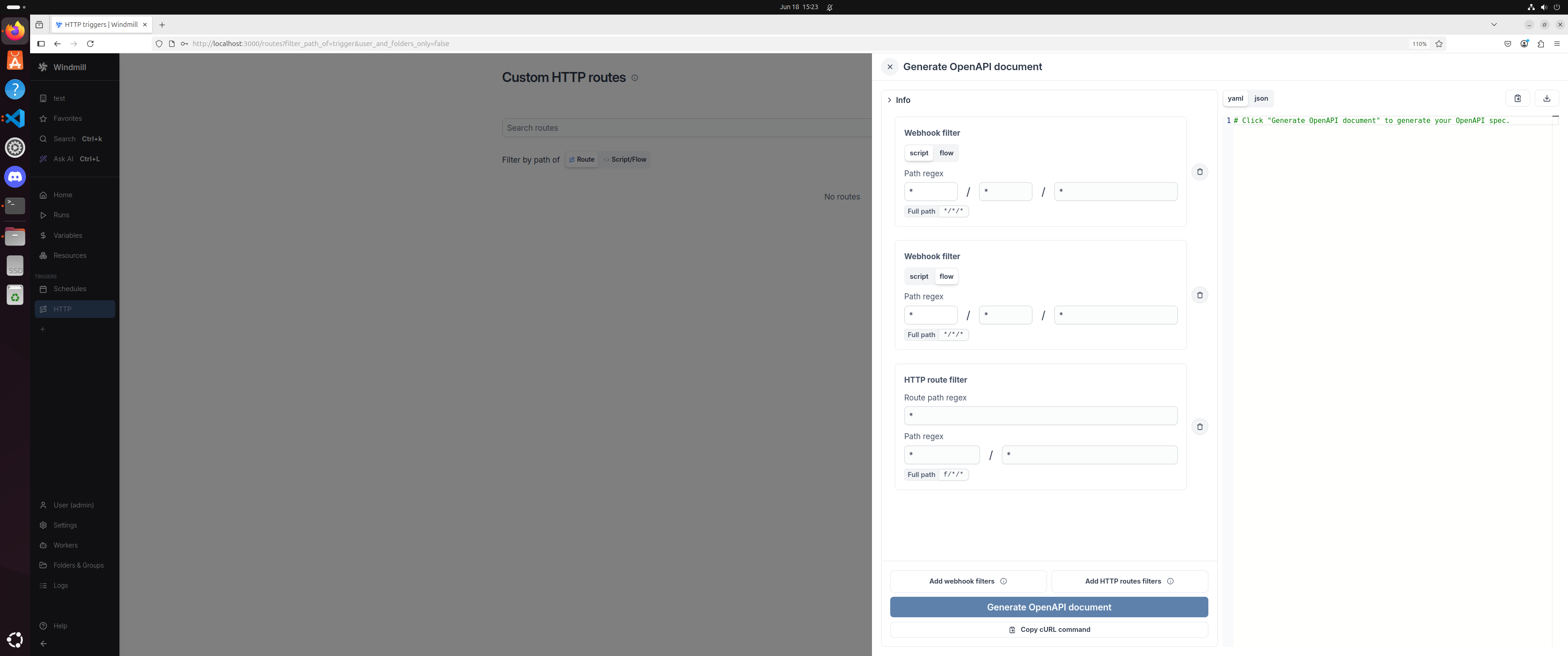
Windmill now supports generating an OpenAPI specification from existing HTTP routes and webhooks. This allows developers to automatically export their configured HTTP triggers and webhook endpoints into an OpenAPI-compliant spec (JSON/YAML), making it easier to document, share, and integrate with other systems.
New features
- Automatically generate OpenAPI specs from defined HTTP routes and webhook triggers.
- Export in JSON or YAML formats.
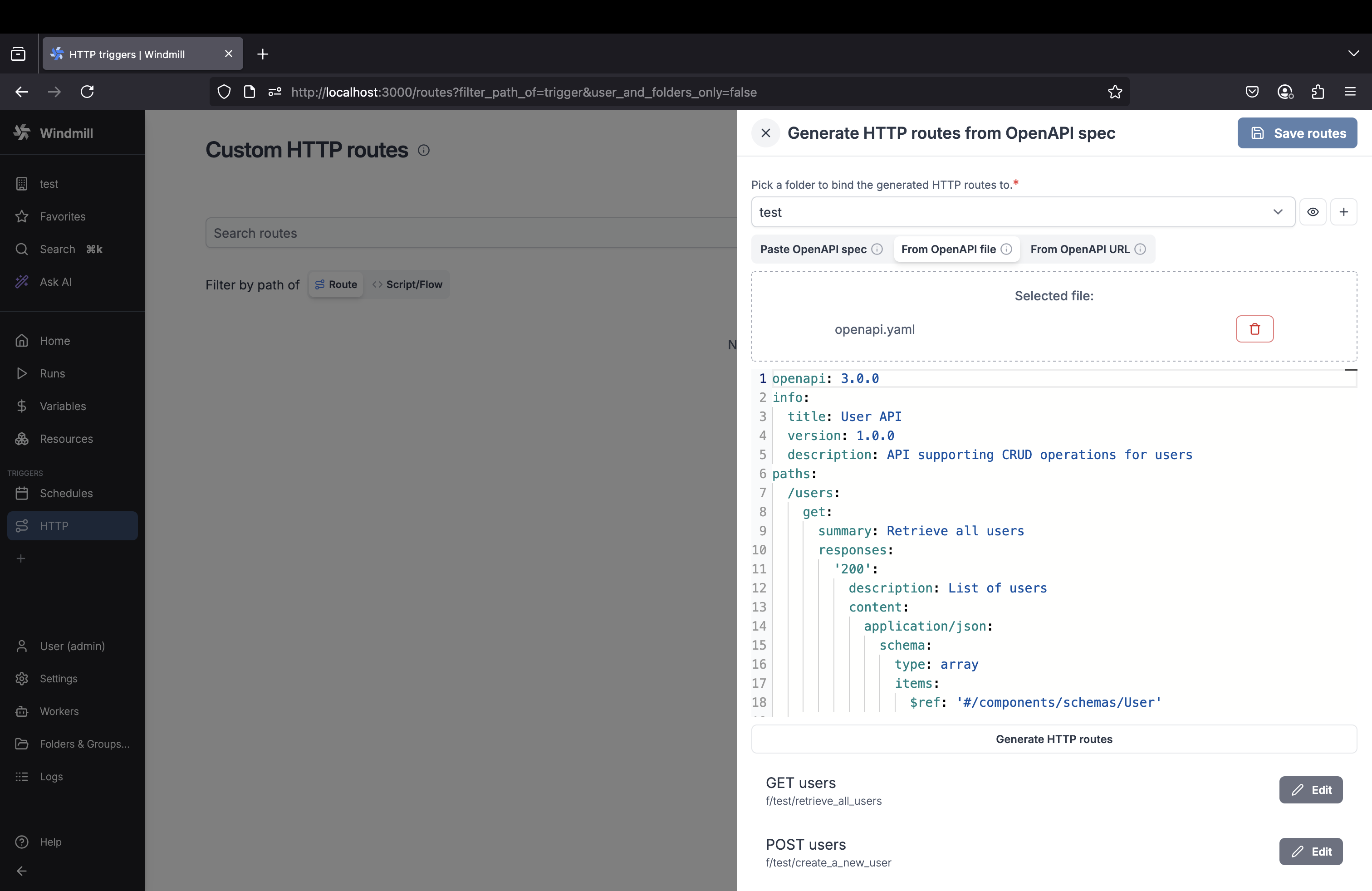
Windmill now supports generating HTTP routes directly from an OpenAPI specification. This allows developers to streamline the setup of HTTP triggers by importing spec files (JSON/YAML), either via URL, file upload, or raw text, and auto-generating the necessary route configurations.
New features
- Automatically generate HTTP triggers from OpenAPI specs.
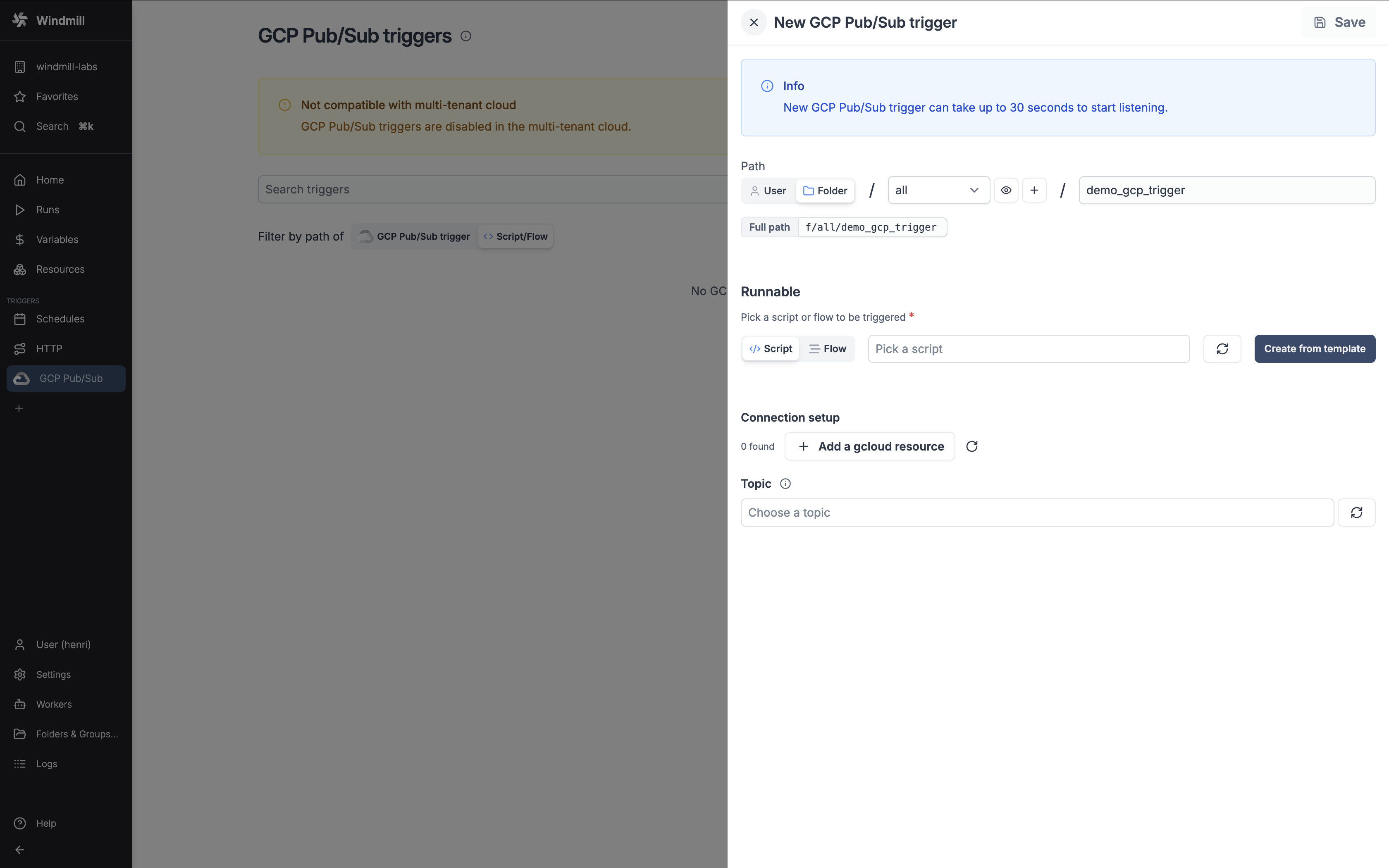
Trigger scripts and flows in response to Google Cloud Pub/Sub messages.
New features
- Connect to Google Cloud Pub/Sub topics and trigger runnables when messages are published.
- Support for both pull and push delivery types for message consumption.
- Process messages with basic scripts or use preprocessors for advanced message handling.
- Access comprehensive message metadata including message ID, publish time, and attributes.
- Configure authenticated push delivery subscriptions for enhanced security.
- Automatically manage Pub/Sub subscriptions with flexible creation and update options.
- Support for message ordering and custom message attributes.
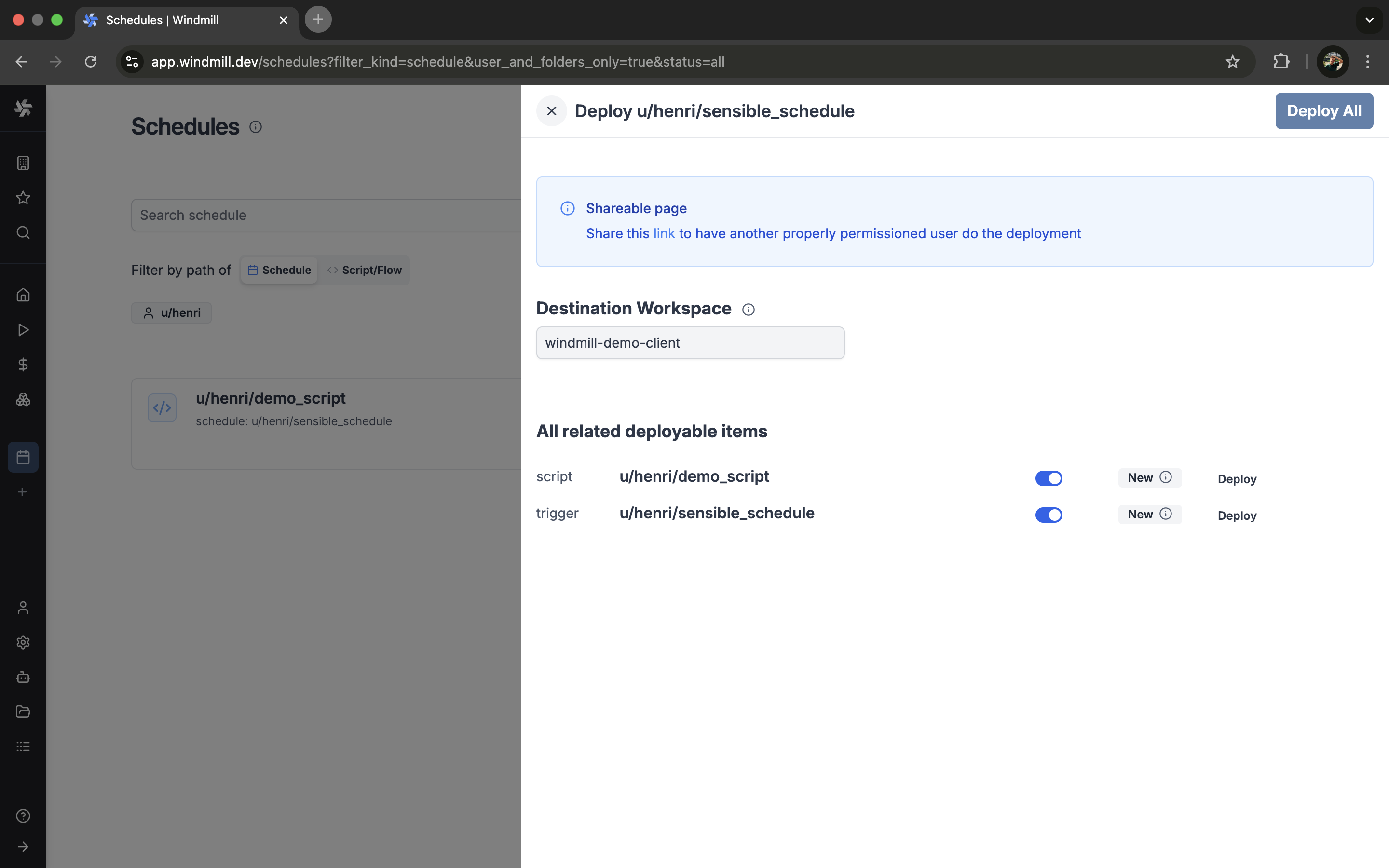
Triggers are now supported in the Deploy to Staging/Prod feature.
New features
- Deploy triggers to Staging/Prod.
Trigger scripts and flows in response to MQTT broker messages.
New features
- Connect to MQTT brokers and trigger runnables in response to published messages.
- Subscribe to multiple topics with configurable QoS levels.
- Process messages with basic scripts or use preprocessors for advanced message handling.
- Access message metadata including topic, QoS level, and MQTT v5 properties.
- Support for both MQTT v3 and MQTT v5 protocols with configurable options.
- Automatically generate TypeScript script templates for message processing.
Trigger scripts and flows in response to SQS queue messages.
New features
- Connect to AWS SQS queues and trigger runnables in response to received messages.
- Process messages with basic scripts or use preprocessors for advanced message handling.
- Access message metadata including queue URL, message ID, and receipt handle.
- Handle custom message attributes and system-defined metadata.
- Integrate with AWS resources using existing or new AWS credentials.
- Automatically generate TypeScript script templates for message processing.
Trigger scripts and flows in response to database transactions.
New features
- Connect to a Postgres database and trigger runnables in response to INSERT, UPDATE, DELETE transactions.
- Utilize Postgres's logical replication streaming protocol for efficient and low-latency triggering.
- Track transactions on all tables, specific schemas, or specific tables with column selection.
- Filter rows using simple WHERE conditions for specific table tracking.
- Manage Postgres publications and replication slots directly from the interface.
- Automatically generate TypeScript script templates for tracked tables and schemas.