3 posts tagged with "Persistent storage"
View All Tags10GiB workspace storage quota replaces 50MB upload cap on Community Edition
S3Persistent storageWorkspacev1.746.0The Community Edition 50MB per-file upload cap on workspace object storage is replaced by a 10GiB total storage quota per workspace. Files of any individual size can be uploaded up to the quota, usage is shown in the workspace settings under S3 Storage with a recount button, and reads and deletes are never blocked even when over quota. Enterprise Edition remains unlimited.
New features
- Upload files of any individual size to workspace object storage on Community Edition, up to 10GiB of total workspace storage.
- Storage usage meter in workspace settings under S3 Storage, with a button to recount usage by listing the storage.
- Writes exceeding the quota are rejected, but reads and deletes are never blocked, so an over-quota workspace can always free up space.
- The quota counts all objects under the configured storages except the reserved volumes/ prefix; Enterprise Edition remains unlimited.

Windmill Data Tables provide workspace-scoped relational data storage with near-zero setup, enabling scripts and flows to leverage SQL without exposing credentials.
New features
- Near-zero setup relational data storage managed by Windmill
- Workspace-scoped with automatic credential management
- Support for Custom instance database (superadmin-managed) or Postgres resources
- Safe parameterized queries in TypeScript and Python
- Native DuckDB integration with ATTACH syntax
- Automatic asset detection and data dependency visualization
- Default "main" data table for simplified access
- Full CRUD operations for all workspace members
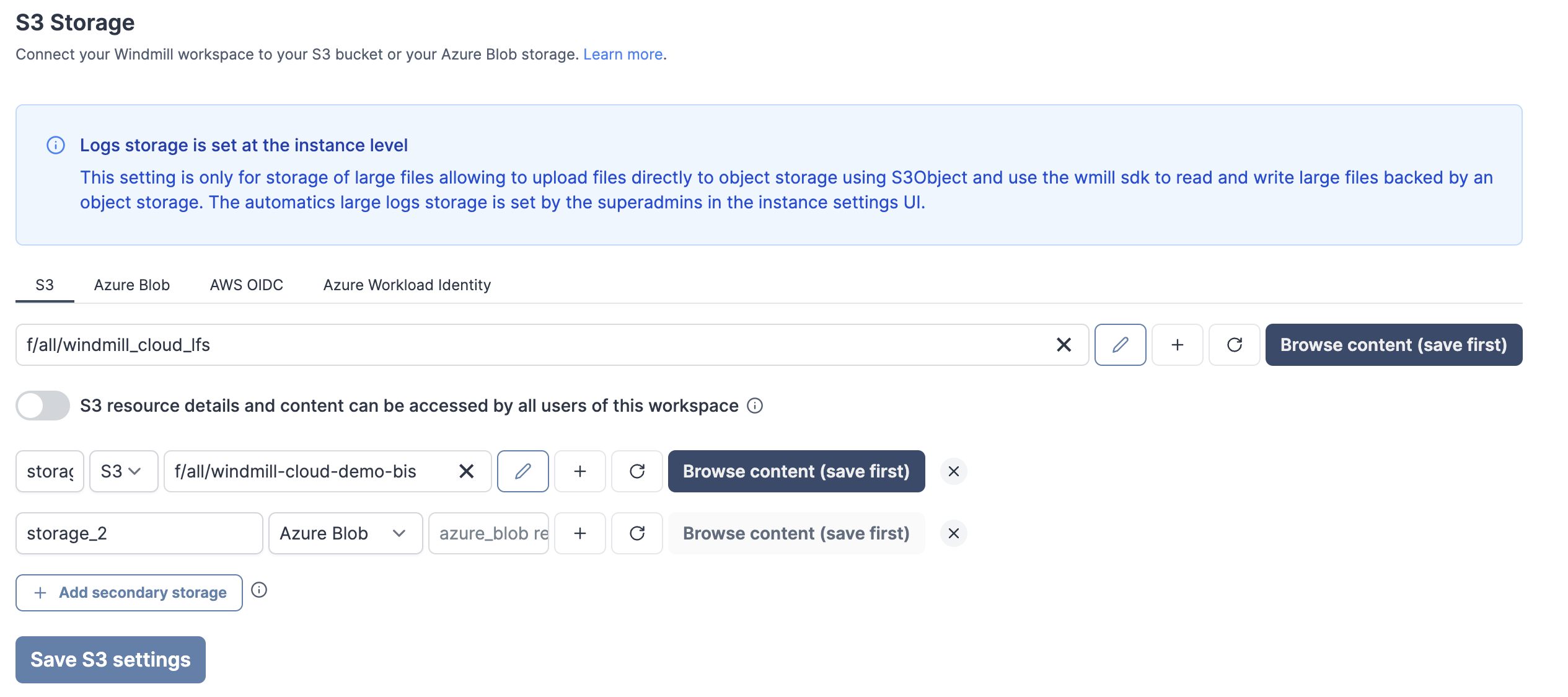
Read and write from a storage that is not your main storage by specifying it in the S3 object as "secondary_storage" with the name of it.
New features
- Add additional storages from S3, Azure Blob, AWS OIDC or Google Cloud Storage.
- From script, specify the secondary storage with an object with properties `s3` (path to the file) and `storage` (name of the secondary storage).