10 posts tagged with "Windmill AI"
View All TagsEvery revision of an AI session artifact is now saved as a version, labelled with a short note describing what changed. A picker in the artifact viewer header lets you read an earlier version, with a banner marking the view as stale and a button back to the latest. The AI can list and read past versions too, so you can ask it to restore earlier wording instead of rewriting it. History is capped per artifact, and larger documents keep fewer versions.
New features
- Each content change to an artifact is saved as a version with a short change note written by the AI.
- The artifact viewer header gains a version picker once an artifact has more than one version; viewing a past version shows a stale banner with a "Back to latest" button.
- The AI can list artifact versions and read any of them, so it can restore earlier wording on request rather than rewriting from memory.
- The artifacts list above the chat input shows an artifact version number once it has been revised.
- History is bounded per artifact: up to 20 versions, fewer for large documents, so browser storage stays in check.
In AI sessions, the assistant can now save longer structured output like plans, specs and design write-ups as markdown artifacts that persist for the whole session. Artifacts open in the session preview panel with Copy, Download as .md and a Preview / View source toggle, and are listed in the new status line above the chat input that gathers the session's drafts, artifacts and jobs. They are stored locally in your browser, restored when you reopen the session and removed when the session is deleted.
New features
- The AI can create markdown artifacts (plans, specs, design write-ups) in sessions and revise them in place instead of duplicating them.
- Artifacts open in the session preview panel rendered as markdown, with Copy, Download as .md and a Preview / View source toggle.
- The session composer now gathers drafts, artifacts and jobs into a single status line above the input; the artifacts entry lists each artifact with open, download and delete actions.
- Artifacts are session-scoped and stored locally in your browser: restored when you reopen the session, removed when the session is deleted.
Support for 1M context window and prompt caching for Anthropic models.
New features
- Added option for 1M context window for Anthropic resources
- Enabled prompt caching for Anthropic models in AI agents
Integrate AI agents directly into your Windmill flows with comprehensive support for all major AI providers, multimodal capabilities, streaming responses, tool integration, and structured outputs. AI agents can process text and images, call Windmill scripts as tools, stream responses in real-time, and output structured data following JSON schemas.
New features
- Support for all major AI providers including OpenAI, Azure OpenAI, Anthropic, Mistral, DeepSeek, Google AI (Gemini), Groq, OpenRouter, Together AI, and custom AI endpoints.
- Real-time streaming responses with detailed payload types including token deltas, tool calls, tool execution, and tool results.
- Tool integration allowing AI agents to call Windmill scripts (inline, workspace, or Hub scripts) as tools for extended functionality.
- Image input support for AI analysis and processing of uploaded images (requires S3 object storage configuration).
- Structured output generation respecting JSON schemas for predictable, processable responses.
The AI Chat panel now supports API mode, allowing direct interaction with Windmill resources through conversational commands. Access jobs, scripts, flows, resources, variables, schedules, and workers using natural language queries.
New features
- Direct API access through conversational interface
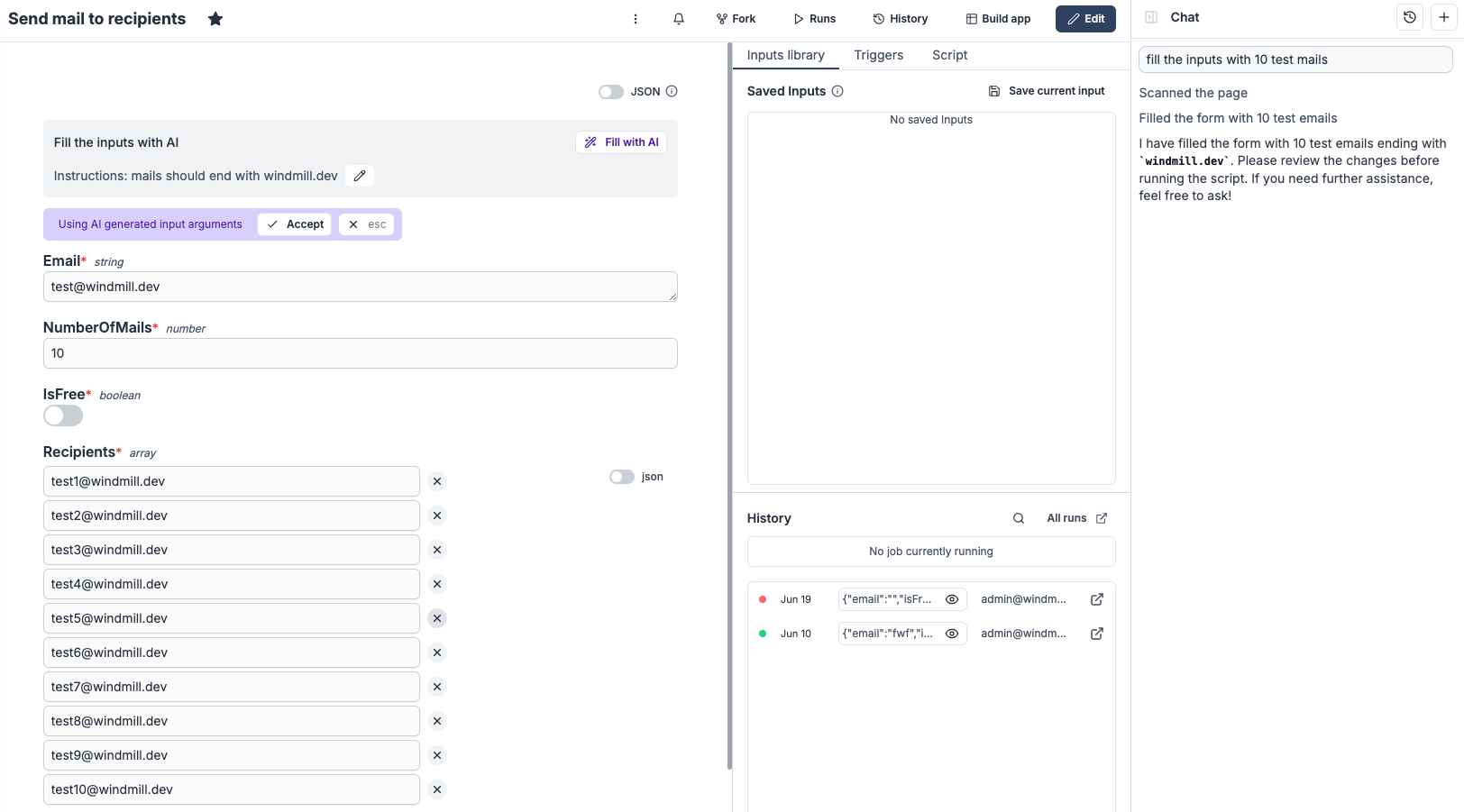
Scripts and flows can now have their input forms automatically filled using AI. Enable this feature from your scripts and flows settings.
New features
- Optional custom instructions to guide AI form filling behavior
- Auto-fill script and flow input forms using AI
The flow builder includes an integrated AI chat panel that lets you create and modify flows using natural language. Just describe what you want to achieve, and the AI will build the flow for you, step by step.
New features
- Uses scripts from your workspace and the Windmill Hub or generates new ones when needed
- Updates flow inputs and connects steps automatically using context from the flow
- Sets up loops and branches with suitable iterator expressions and conditions based on the flow data
The script editor now includes an integrated AI Chat Panel designed to assist with coding tasks. The assistant can generate code, fix issues, suggest improvements, add documentation, and more — all in a conversational interface.
New features
- AI chat panel embedded in the script editor
- Granular apply/reject controls to accept or discard individual parts of AI-generated code
- Include context elements like database schemas, deployed script diffs, and runtime errors
- Quick actions for common tasks such as bug fixing, refactoring, and documentation
- Support for any AI model including self-hosted/custom base URL (now part of the community edition!)
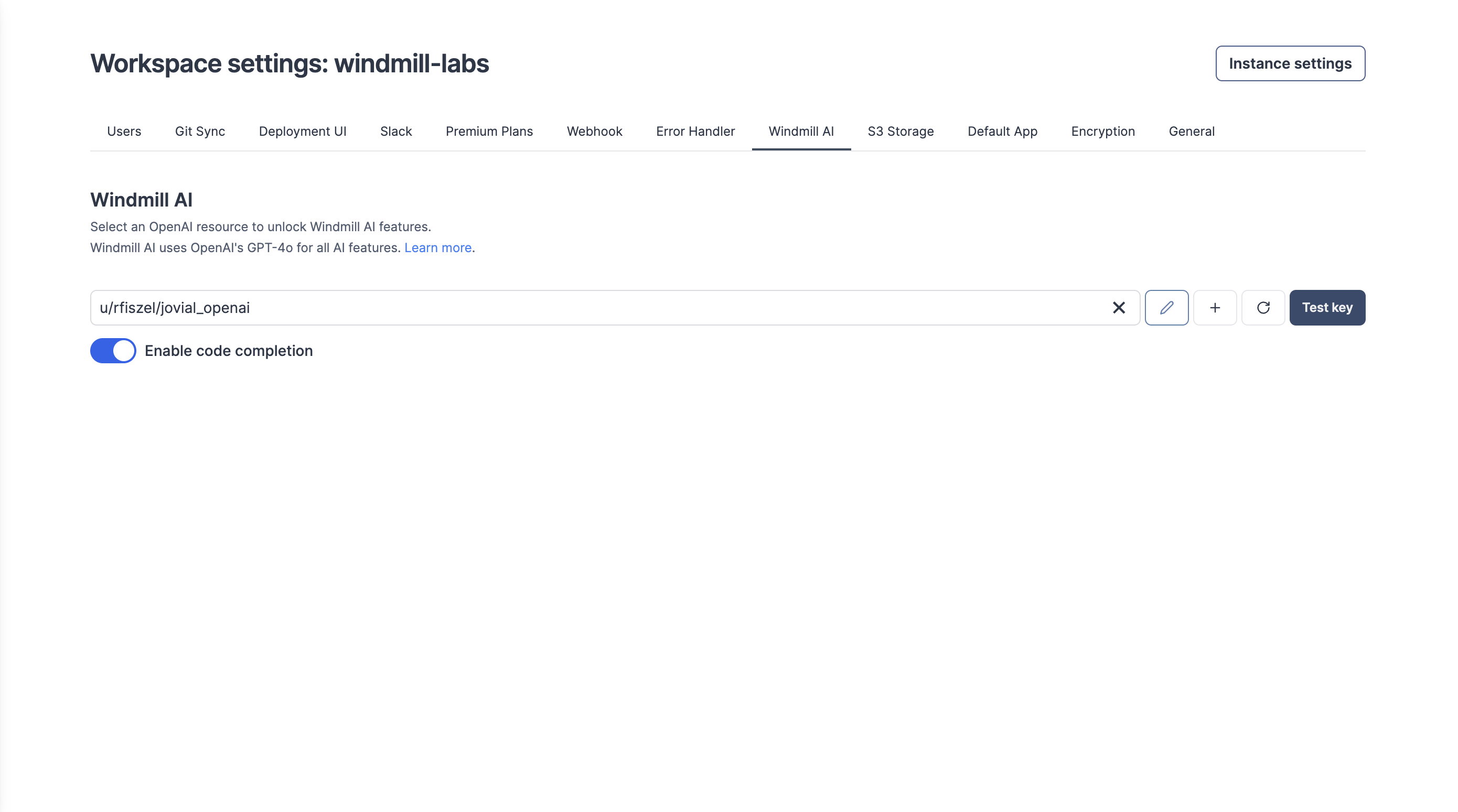
Windmill AI has been upgrading from GPT 4 and GPT-3.5-turbo to GPT-4o
New features
- Faster execution.
- You do not need to change your existing OpenAI resource.
The Flow & metadata copilot is an assistant powered by an OpenAI resource that simplifies your script & flows building experience by population fields (summaries, descriptions, step input expressions) automatically based on context and prompts.
New features
- Fills summary of script & flow steps.
- Links flow step inputs to previous steps results.
- Fills flow loops iterator expressions from context.
- Completes branches predicate expressions from prompts.
- Defines CRON schedules from prompts.