WebSocket triggers
Windmill can connect to WebSocket servers and trigger runnables (scripts, flows) when a message is received. Listening is done from the servers, so it doesn't take up any workers. WebSocket triggers are not available on the Cloud Free and Team plans.
How to use
Create a new trigger on the WebSocket triggers page. Specify the URL of the WebSocket server. Instead of a static URL, you can also specify a script or flow to return the connect URL. This is useful when you need to pass an authentication query parameter to the connect URL. The runnable must return a string.
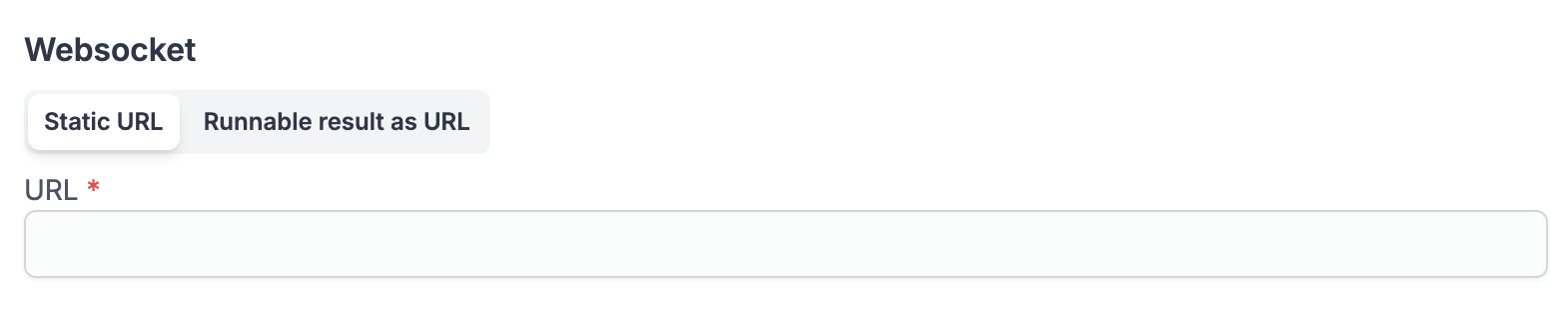

Once the URL set, select the runnable that should be triggered by this trigger.
The received WebSocket message will be passed to the runnable as a string argument called msg.
Here's an example script:
export async function main(msg: string) {
  // do something with the message
}
And if you use a preprocessor, the script could look like this:
export async function preprocessor(
  event: {
    kind: "websocket",
    msg: string,
    url: string,
  }
) {
  if (event.kind !== "websocket") {
    throw new Error(`Expected a websocket event`);
  }

  // assuming the message is a JSON object
  const msg = JSON.parse(event.msg);

  // define args for the main function
  // let's assume we want to use the message content and the url
  return {
    message_content: msg.content,
    url: event.url
  };
}


export async function main(message_content: string, url: string) {
  // do something with the message content and url
}
The trigger also supports additional configuration options:
Send runnable result to WebSocket server
If you enable the "Send runnable result" toggle, the runnable result will be sent to the WebSocket server as a message, as long as the job is a success and the result is not null. Like for sync webhooks, if the flow has the early return setting set, the chosen node result will be sent and the rest of the flow will continue asynchronously.
By default, only successful results are sent back. Enable the "Send result even on error" toggle to also forward error results to the WebSocket server, so the remote peer can react to failures (e.g. reply with an error frame). When disabled, failed jobs produce no outgoing message.
Initial messages
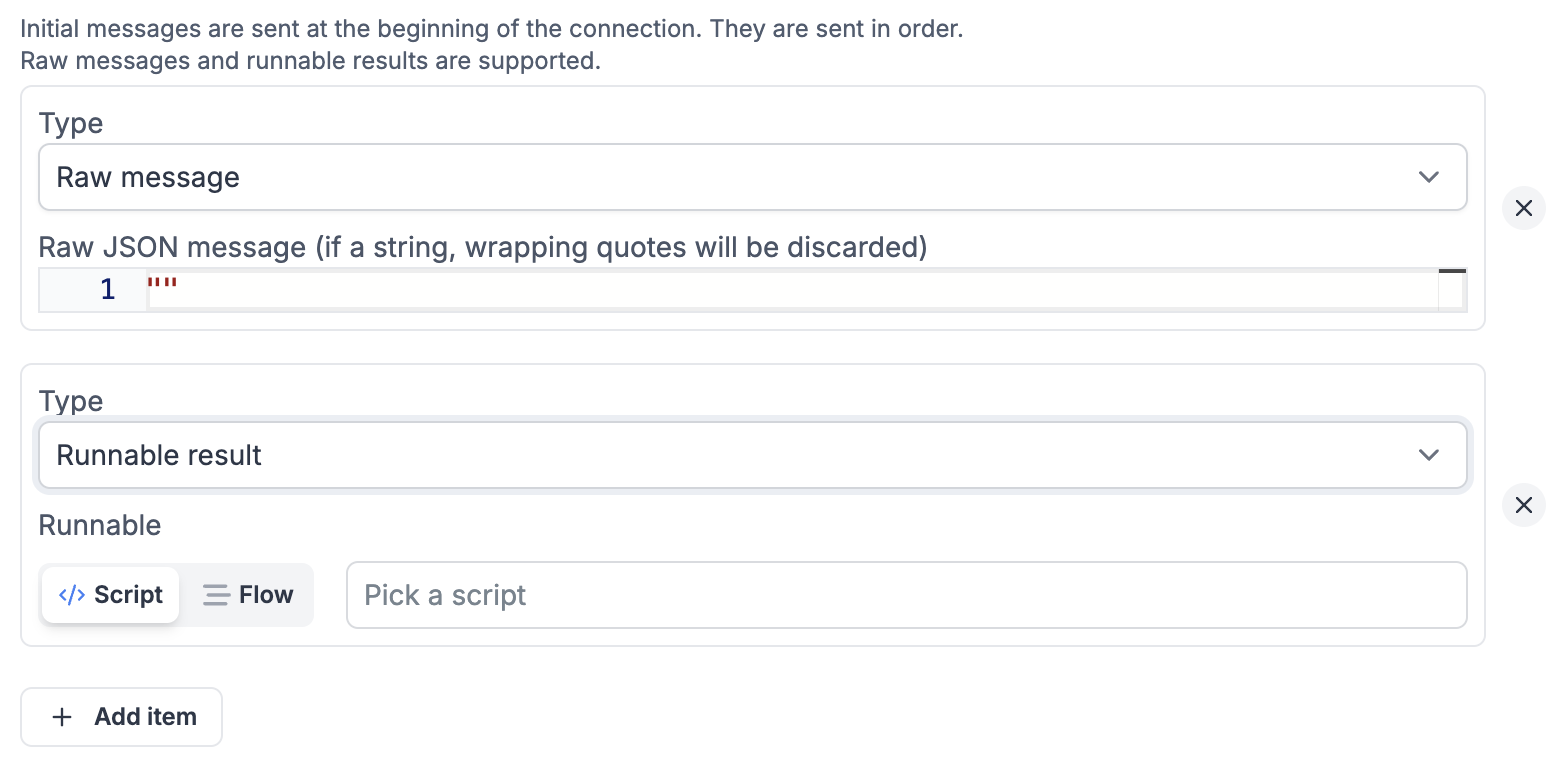
You can specify a list of initial messages to send to the WebSocket server when connection to the server is established. This is useful for authentication or subscription messages. They can be static strings or runnables that return the message. The static string field is in JSON format and will be stringified before sending. If the JSON value is a string, it will be sent without the wrapping quotes. The runnable can return a string or a JSON object, which will be stringified before sending. The messages are sent in the order they are specified.
Filters
Instead of having all messages trigger the runnable, you can specify filters to restrict which messages trigger the runnable. The message is parsed as a JSON object and each criterion checks that the field it addresses exists and that its value is equal to (or a superset of) the criterion's value. The runnable still receives the message as the raw string argument msg.
A criterion addresses its field in one of two ways, selected by the Key/Path toggle:
- Key: a top-level field of the message, matched literally (e.g.
type). A key that contains a dot means the top-level field spelled that way, not a nested field. - Path: a dotted path into nested objects (e.g.
account.id). It does not traverse arrays.
Values are compared with a superset check: the value in the message must contain every field of the criterion's value, and extra fields in the message are allowed. Key data with value {"status": "active"} therefore matches {"data": {"status": "active", "id": 3}}, which is the other way to reach a nested field.
When at least one filter is present, a filter logic selector lets you choose how the top-level entries are combined:
- All criteria (AND), the default: the message must match every entry.
- Any criterion (OR): the message triggers the runnable as soon as it matches one entry.
Existing triggers without an explicit filter logic default to AND.
Filter groups
An entry can be a group instead of a criterion, with its own logic, so a condition like "A and B and (C or D)" is expressible. Groups can be nested, up to three levels in the editor: past that, "Add group" is no longer offered. Besides AND and OR, a group can use NONE, which matches when none of its criteria match. A field the message does not carry satisfies NONE, since there is nothing there to match. NONE is available on groups only, not at the top level.
A group left empty is dropped rather than evaluated, so its siblings stay in force.
In a trigger's raw configuration (what the CLI syncs and what the API takes), a criterion is {key, value} or {path, value}, and a group is any_of (OR), all_of (AND) or none_of (NONE):
filter_logic: and
filters:
  - path: account.id
    value: 1028
  - key: event
    value: message_created
  - key: message_type
    value: incoming
  - any_of:
      - path: in_reply_to_message.content_attributes.sent_by
        value: u/alice/reminders/send_reminder
      - path: previous_public_message.content_attributes.sent_by
        value: u/alice/reminders/send_reminder
Filters that don't parse (a mistyped anyOf instead of any_of, say) are rejected when the trigger is saved, rather than silently widening what it accepts. Flat key/value filters written before groups existed keep matching exactly what they matched before, and nothing needs migrating.
Application-level heartbeat
Some WebSocket protocols (such as Discord Gateway, STOMP, or custom APIs) require the client to send periodic keep-alive messages at the application level to maintain the connection. Windmill supports this natively with the heartbeat configuration.
When enabled, Windmill sends a configurable message at a fixed interval through the WebSocket connection. This happens at the Rust level with zero job overhead — no scripts are executed for heartbeats.
Configuration
- Interval (seconds): How often to send the heartbeat message.
- Message: The message to send. You can use the
{{state}}placeholder to include a value extracted from incoming messages. - State field (optional): A top-level JSON field to extract from every incoming message. The extracted value replaces
{{state}}in the heartbeat message.

Examples
Static heartbeat (STOMP, MQTT, simple APIs):
| Field | Value |
|---|---|
| Interval | 10 |
| Message | {"type": "ping"} |
| State field | (empty) |
Stateful heartbeat (Discord Gateway):
Discord requires a heartbeat message that includes the last received sequence number (s field):
| Field | Value |
|---|---|
| Interval | 41 |
| Message | {"op": 1, "d": {{state}}} |
| State field | s |
Windmill extracts the s field from every incoming Discord event and substitutes it into the heartbeat message automatically. See the Discord bot guide for a complete walkthrough.
Error handling
WebSocket triggers support local error handlers that override workspace error handlers for specific triggers. See the error handling documentation for configuration details and examples.