Pipelines quickstart
This guide builds your first pipeline: a set of scripts in a folder wired together automatically by the data they read and write, no manual orchestration. It uses the recommended DuckDB + DuckLake path, where each step materializes a table (this is what makes the writes idempotent, versioned and testable). It takes about five minutes.
DuckLake is not required, though. Pipelines wire scripts in any language (Python, TypeScript, ...) by the plain assets they exchange - S3 objects, resources, data tables or volumes - with the same -- on model and no materialization. See inputs and outputs for that path; this guide shows DuckLake because it is the most powerful default.
Already using dbt? You do not have to port the project into a pipeline. Windmill runs an unmodified dbt project as a script of its own kind, with dbt still owning its models, refs and tests, and shows its models in the asset graph as dbt:// nodes beside whatever pipelines you build. Windmill's own pipelines page (/pipeline) points there too, next to the warehouse settings a dbt project needs.
Because this guide uses DuckLake, you need a workspace storage and a DuckLake configured. The default DuckLake is named main; this guide uses it. (A plain S3-based pipeline needs only the workspace storage.)
On a fresh workspace the pipelines page shows a setup checklist whenever either prerequisite is missing, with a link straight to the workspace object storage and DuckLake settings that fix it. Nothing materializes until both are set.
1. Create a pipeline
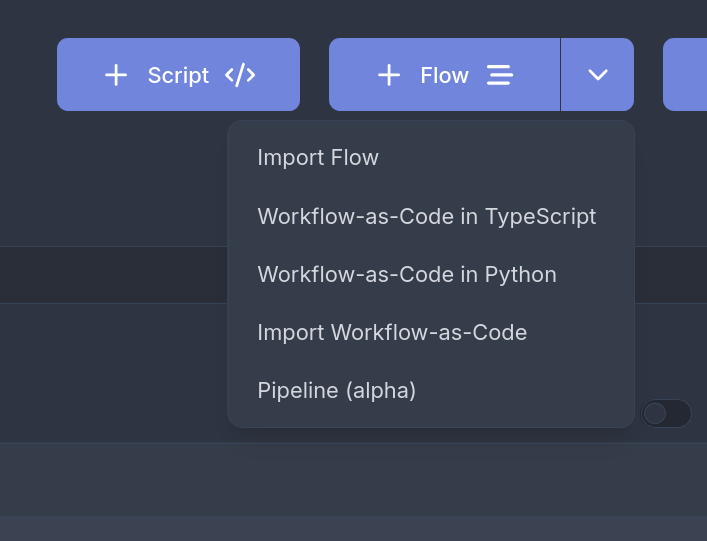
On the home page, click New and select Data pipelines (badged Alpha) in the popover.
You can also open the pipelines index page at /pipeline: it lists existing pipelines with their script counts and lets you pick or create a folder. When you edit a SQL or DuckDB script that is not yet part of a pipeline, a dismissible hint below the toolbar links there too.
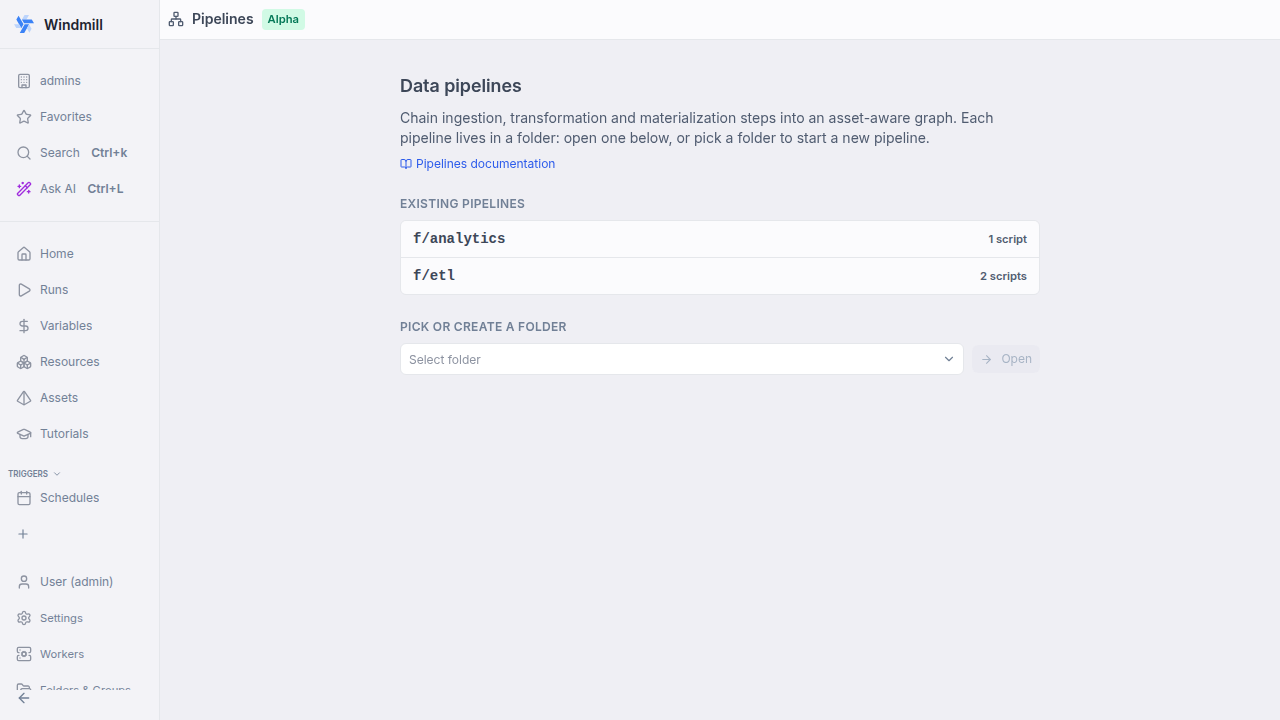
Pipelines live in a folder (for example f/demo); every script you add to it and mark with -- pipeline becomes part of the same pipeline graph.
2. Add a producer script
Create a DuckDB script f/demo/ingest. The -- pipeline line places it in the folder's pipeline, and -- materialize tells Windmill to own the write: it creates the ducklake://main/events table from the trailing SELECT and records a snapshot and row count.
-- pipeline
-- materialize ducklake://main/events

SELECT * FROM (VALUES
  (1, 'click', TIMESTAMP '2026-01-01 10:00'),
  (2, 'view',  TIMESTAMP '2026-01-01 10:05'),
  (3, 'click', TIMESTAMP '2026-01-01 11:00')
) AS t(id, kind, ts);
3. Add a consumer script
Create a DuckDB script f/demo/rollup. The -- on ducklake://main/events annotation declares the table it reads, which becomes an incoming edge: this script runs automatically whenever events is materialized. It materializes its own aggregate table.
-- pipeline
-- on ducklake://main/events
-- materialize ducklake://main/events_by_kind

ATTACH 'ducklake://main' AS dl;

SELECT kind, count(*) AS n
FROM dl.events
GROUP BY kind;
4. Open the pipeline graph
Open the folder and select the pipeline view. You will see the lineage:
ingest → ducklake://main/events → rollup → ducklake://main/events_by_kind
5. Run it
On the ingest node, choose "Run + downstream". ingest materializes events, and the asset cascade automatically fires rollup, which materializes events_by_kind. Each node shows live status, its DuckLake snapshot and row count as the run progresses, and the result panel previews the materialized table.
That is the whole model: mark scripts with -- pipeline, declare inputs with -- on, and Windmill infers and runs the graph from asset lineage. Adding -- materialize (the optional DuckLake layer used here) is what also gives you idempotent re-runs, time-travel, data tests and backfill with no extra work.
Next steps
Add materialization strategies (merge, append, SCD2 history), partitions, schedules, AND/OR joins, data tests and debounce. Every annotation and option is documented, with examples, on the concept page.