AI decision
An AI decision step asks a decision model typed questions about a state and returns calibrated answers instead of text: a choice with its probabilities, a score on a scale, or the probability of yes. Use it in a flow to classify, score or check something, and route on the answer with a Branch to one. For anything that needs tools or free text, use an AI agent step instead.
Add it from the step menu with "AI Decision".
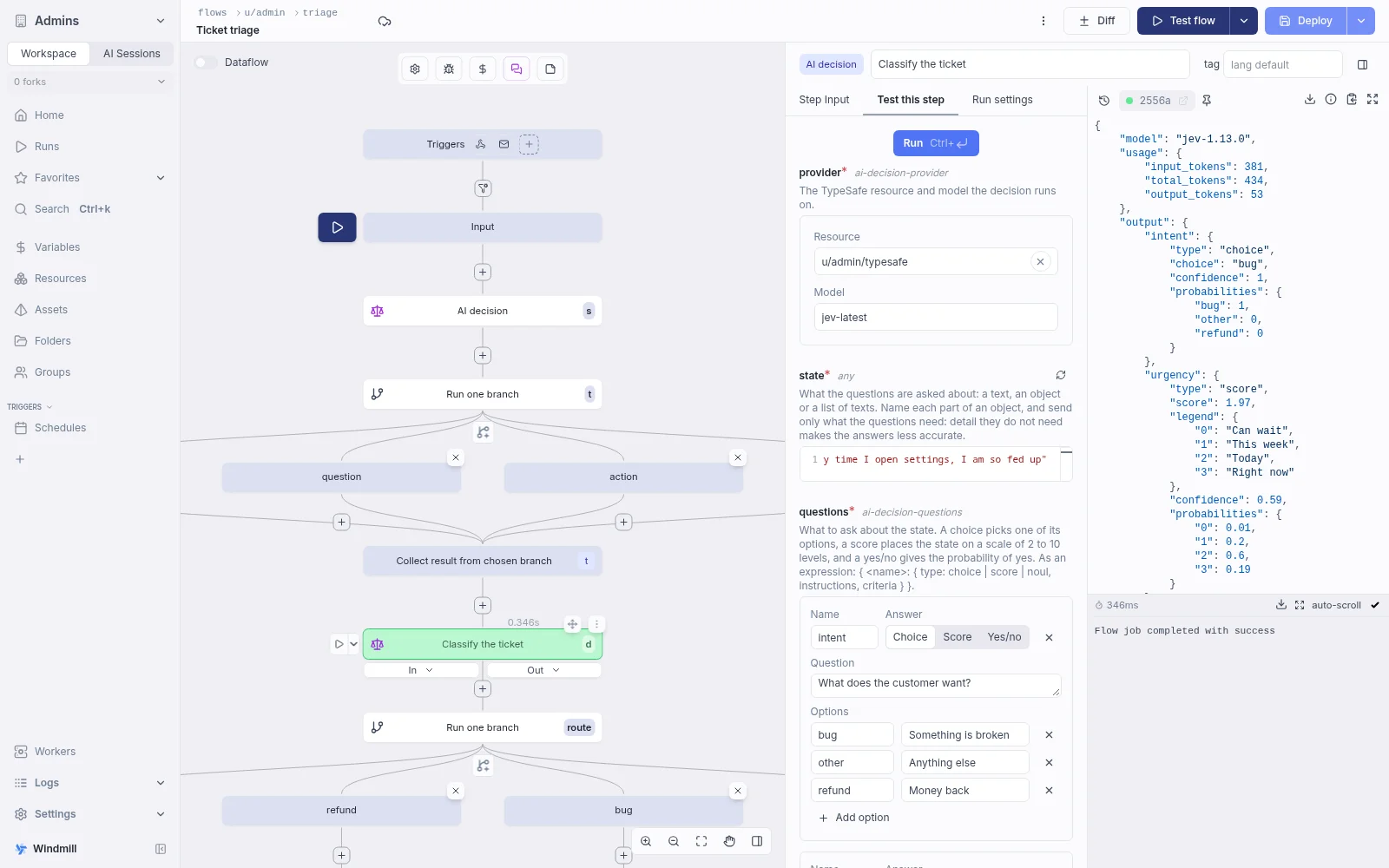
Providers
The step runs on one of three decision models:
- TypeSafe's Jev, with a
typesaferesource holding your TypeSafe API key. The model defaults tojev-latest; pin a version such asjev-1.13.0to keep a flow tuned against its probabilities. - Cloudflare's Jev-compatible Clef on Workers AI, with a
cloudflareresource holding a token and account ID. The model isclef(the default) orclef-flashfor faster answers. Abase_urlon the resource replaces the Workers AI URL, for example to go through an AI Gateway. - OpenAI's Decisions API, with the same
openairesource as AI agent steps. The model isgpt-6-luna. Azure OpenAI resources are not supported.
TypeSafe and Cloudflare only answer decisions: an AI agent step refuses them.
State
The state is what the questions are asked about: a text, an object or an array of strings.
It is usually the text to classify, such as flow_input.message.
To combine several values, pass an object with descriptive keys holding only what the questions need:
({ message: flow_input.message, plan: results.get_account.plan })
A missing or blank state fails the step before any request is sent.
On OpenAI, a text is sent as is, and a list of user messages (role: "user" with a text or input_text and input_image parts) is passed through, which is the only way to send an image.
Any other object or array is sent as its JSON text.
Questions
Each question has a name, an answer type and the question itself. The name is how later steps read its answer.
| Answer type | What you give | What it returns |
|---|---|---|
| Choice | Options, each with an optional description (up to 255 options) | choice, probabilities and confidence |
| Score | An ordered list of 2 to 10 level descriptions | score, legend, probabilities and confidence |
| Yes/no | Optional meanings for yes and no | noul, the probability of yes, from 0 to 1 |
Toggle the field to JSON to edit the questions directly, or switch it to an expression to compute them.
In JSON, each question name maps to { type, instructions, criteria }, where type is choice, score or noul:
{
	"intent": {
		"type": "choice",
		"instructions": "What does the customer want?",
		"criteria": { "refund": "Money back", "bug": "Something is broken", "other": "Anything else" }
	},
	"urgency": {
		"type": "score",
		"instructions": "How urgent is the ticket?",
		"criteria": ["Can wait", "This week", "Today", "Right now"]
	},
	"angry": { "type": "noul", "instructions": "Is the customer angry?" }
}
Result
The step returns { output, model, usage }, with output keyed by question name and model the version that answered.
A later step with the decision as triage reads:
results.triage.output.intent.choiceresults.triage.output.urgency.scoreresults.triage.output.angry.noul
On OpenAI, probabilities is a list of { value, probability } and a score has no legend.
A question OpenAI refuses to answer fails the step.
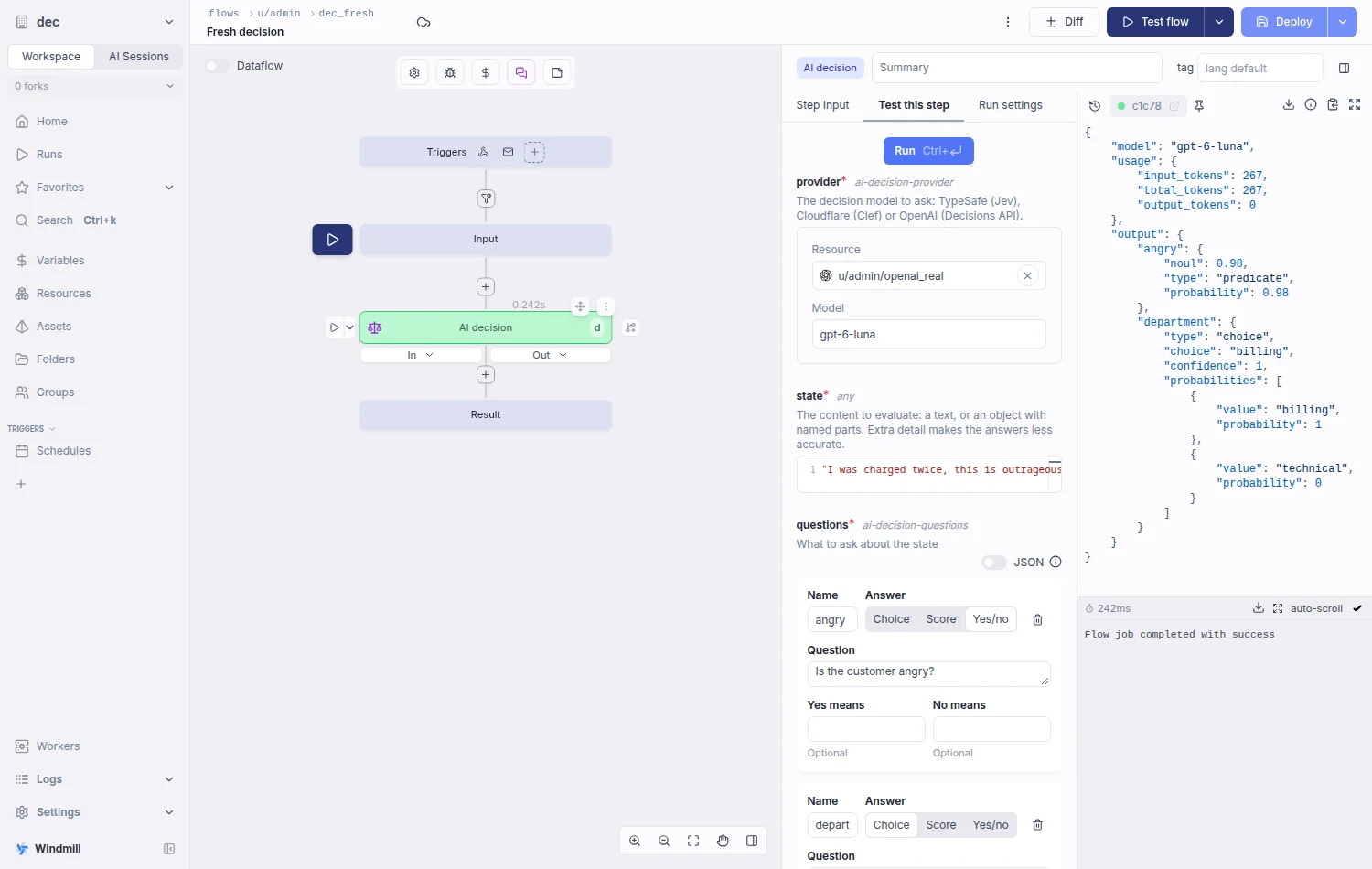
Branching on the answers
Route on the answers with a Branch to one right after the decision. "Branch on this question" in a choice or yes/no question's card, or "Branch on" followed by the question name beside the step on the graph, inserts it for you:
- A choice question gets one branch per option, on
results.<id>.output.<question>.choice === "<option>". - A yes/no question gets one "yes" branch on
results.<id>.output.<question>.noul >= 0.5, with the default branch as "no". You can tune the threshold afterwards.
The editor flags options that have no branch yet.
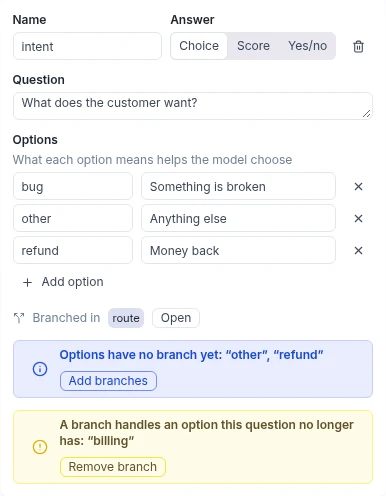
As an AI agent tool
An AI decision can also be a tool of an AI agent step. The agent's model supplies the state, sees the questions in the tool description, and receives only the answers.